Unlimited access to all our tools


How does it work?
Fill and sign a PDF in 3 easy steps:
- 1
Upload your PDF document.
- 2
Create your signature and fill in the required fields.
- 3
Place your signature, preview the file, and download it.
You can fill and sign a PDF in your browser with our PDFAid tool. No need to send your document between different services.
How to fill and sign a PDF
Take these 4 steps to fill out and sign a PDF on our platform:
Step 1. Upload a file from your device to the tool.
Step 2. Enter text in the form field.
Step 3. Draw, upload, or type a signature.
Step 4. Email the file or download it.
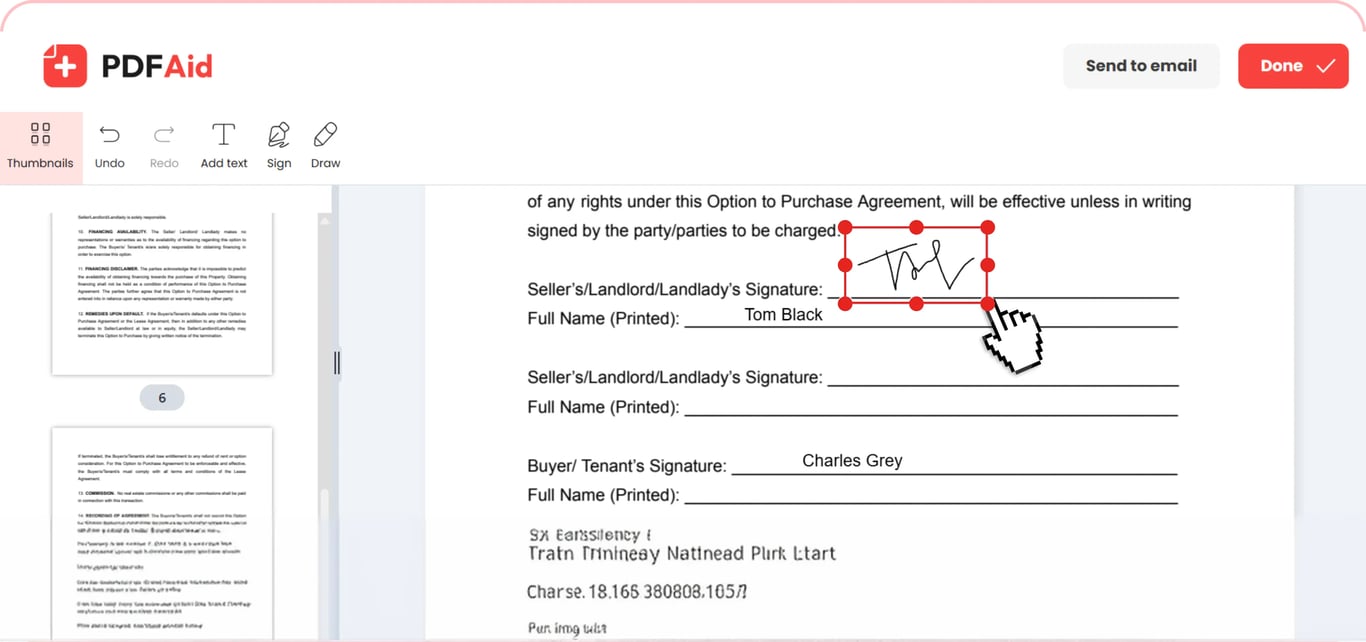
Import a PDF file
To complete your form, add a date, and sign it, you can drag your document to the tool and drop it. Or, press Upload to fill & sign and find a PDF on your device. Select and start working on it right away.
Edit and fill out the required fields on the document
Fill PDF forms with our service by pressing the Add text button in the toolbar. Click anywhere on the line or checkbox you need to fill and start typing – the form doesn't need built-in fields. You can change the font type, size, opacity level, and color. Use the Draw option that allows highlighting when you need it or marking important details. Choose the color and thickness of the highlight and marker, or remove your changes with an eraser. Undo the action if you made a mistake and keep working on your document.
Add a signature
Once you fill in a text field, you can e-sign a PDF in the same editing session. Click the Sign button and choose if you want to draw, insert, or type your electronic signature. If you opt for the first option, there are 3 available ink colors: black, blue, and dark blue. Upload an image with your signature by selecting the second option. Typing allows you to choose a font type and color. After adding a signature, change its size and drag it to the preferred area.
Fill and sign PDFs on any device
This fill and sign tool requires zero downloads as it runs directly in your browser on any device. Complete your document on a Mac or a computer with Windows or Linux operating systems. Uploading, filling, signing, and exporting all work the same way on iPhone, iPad, and Android.
Your document keeps its original quality
Fill out the electronic document signature and other details, keeping the look of the original file. The pagination remains unchanged, as well as fonts, images, and layout. Nothing changes except for the elements you add or edit. You can select and copy the text. Your file opens in any PDF viewer, and the recipient sees exactly the version you saved.
Your files stay private and secure
Security of your personal information and signatures is our priority. When you upload documents to fill and sign on this platform, they're transferred through an encrypted connection. Your files are accessible only by you in your personal account.
Similar tools
Our workspace allows you to edit your documents in one place, covering other related tasks. Here are other tools to try:
Add Image to PDF – visualize essential information or customize your document.
Create PDF Online – create a PDF from scratch or convert other formats to PDF.
Add Hyperlink to PDF – insert external and internal links to your content.
 We’re sorry to hear that you want to cancel your subscription. If you no longer need our service, you can click Cancel plan in the Membership tab of your account. You can also contact us via live chat, at billing@pdfaid.com, or by calling +44 808 501 2541 for help with canceling your subscription.