Unlimited access to all our tools


How does it work?
Reorder PDF pages in 3 simple steps:
- 1
Upload your PDF file.
- 2
Change the page order.
- 3
Download your edited PDF file.
The PDFAid’s online PDF rearranger helps you organize your documents with very little effort. You can use simple drag-and-drop page thumbnails to rearrange, group, and align your content in seconds. PDF organizer lets you put every page in the exact order you need before you save your final file.
How to rearrange pages in a PDF
Reordering your document takes only a few seconds. Follow these simple steps to rearrange PDF pages online:
Upload your file: Select and upload your PDF document to the online tool.
View page thumbnails: Look over the visual thumbnails of every page in your file.
Drag and drop: Click and hold any page thumbnail, then drag it into your preferred position.
Save and download: Click Save to apply the new page order, then download your updated PDF.
Move pages in a PDF to a new position
A page can easily end up in the wrong spot when you scan or combine a report. You can reorder PDF pages without rebuilding the entire file from scratch.
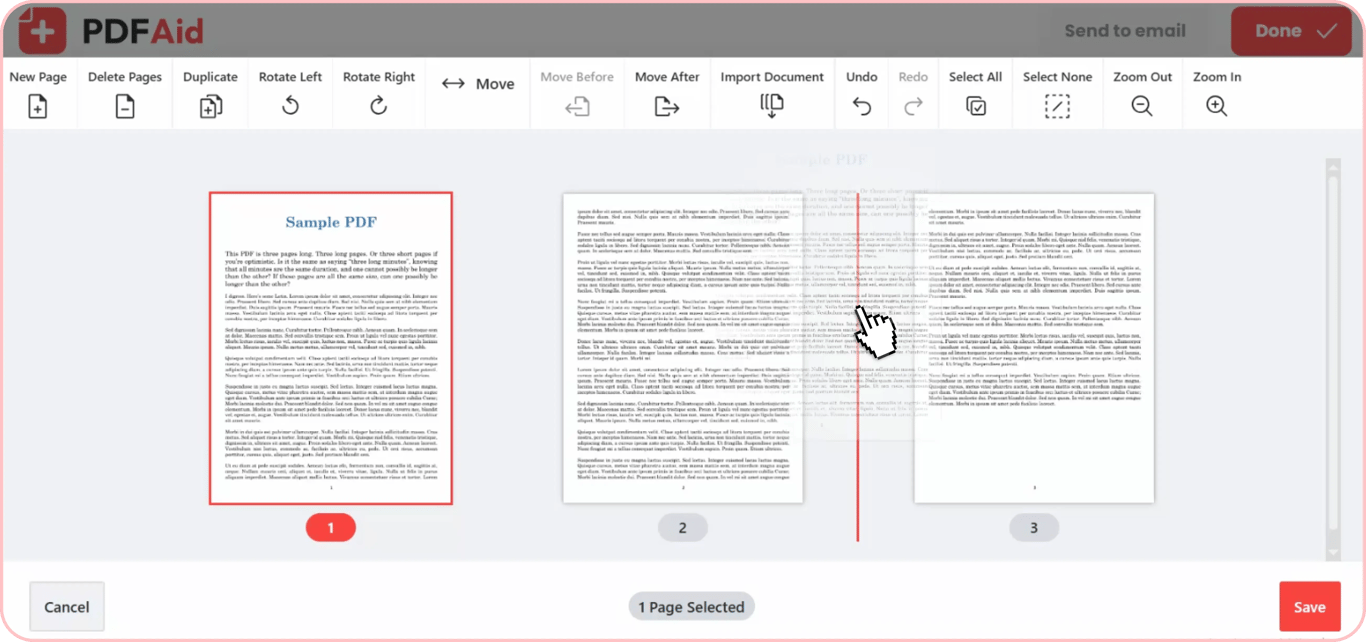
Use our tool as a fast page sorter to fix the document layout that allows you to easily rearrange PDF pages with the drag-and-drop feature. Once your file opens, look at the page thumbnails in the editor. Click and hold any page, then drag it to its correct position. You can also pick several pages at once and move them together.
Once you let go of the mouse, the pages will fall into place. It takes just a few seconds to fix sorting errors without touching the rest of your text.
Reverse the whole PDF page order
People often scan a large stack of paper documents backward. Manually moving every page takes far too much time and effort. No need to reorder them individually.
Instead, you can flip the entire sequence at once. Using our tool as your online PDF page changer lets you restore the correct order instantly. With just one click, you can change PDF page order from last-to-first back to first-to-last. This easily fixes backward scans.
Rearrange pages without losing quality
When you arrange pages of PDF files with our platform, your document quality stays completely intact. The only thing the tool does is change the order of the pages. It never changes anything else in your file.
Your original layouts, fonts, formatting, and images stay perfect. Since only the order of the pages changes, the quality of your final PDF stays the same at full resolution.
When you need to reorganize pages in PDF
When you open a PDF file, you usually need to rearrange the pages so that the text is clear and easy to read. Since our tool gives you full drag-and-drop control, you can quickly sort PDF pages for any project.
You may need to rearrange your files in the following typical situations:
Fix reversed or mixed scans: Scanners often flip page sequences or shuffle multi-page stacks. You can drag thumbnails around to put everything back in the right order.
Restructure business reports: Move executive summaries, key data, or charts to the very top, so people see them right away.
Organize eBooks and manuals: Put misplaced chapters in place, move index pages to the back, or edit intro sections before publishing.
Order legal exhibits: Arrange supporting evidence, list of additions, and signed contracts in exact legal order.
Assemble multiple drafts: When you merge or combine pages from different project files and need to change their order, you can do this using the drag-and-drop feature.
Rearrange PDF pages on any device
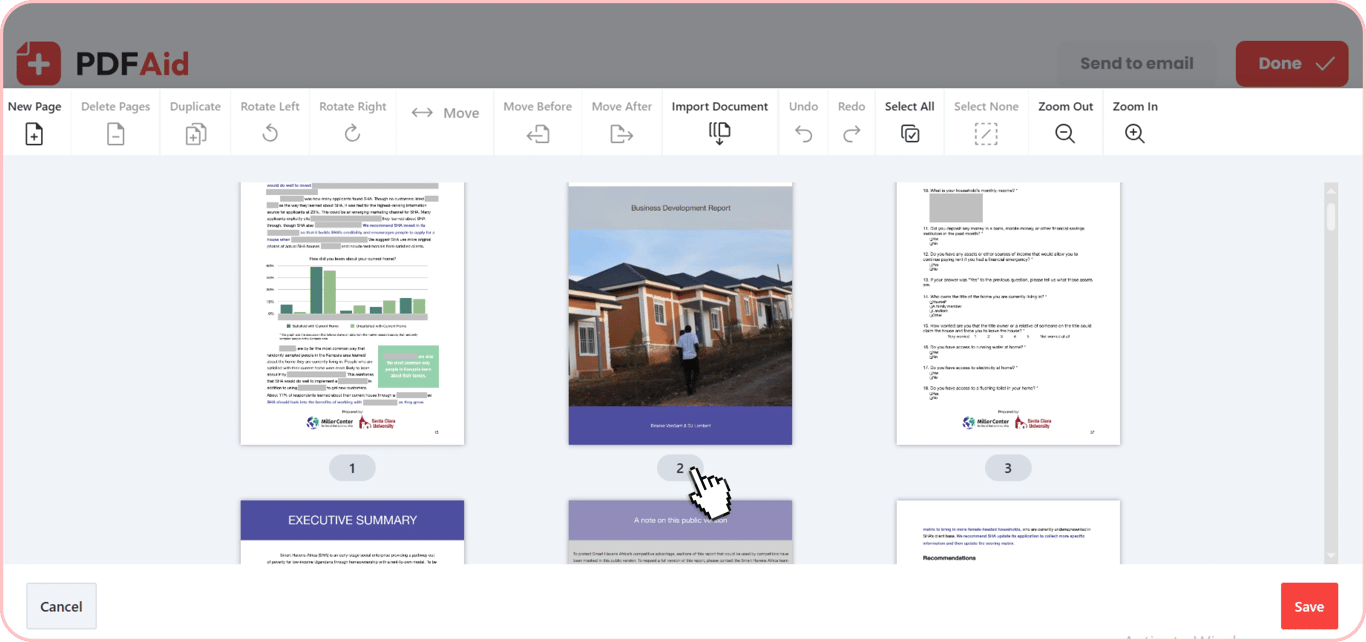
PDFAid runs entirely in your web browser. You can arrange PDF pages online without installing software or desktop apps. Our platform works smoothly on any operating system, giving you the same clean results on all screen sizes.
Windows: Reorder pages easily using Chrome, Edge, or Firefox without downloading extra tools.
macOS: Drag and drop page thumbnails directly in Safari or Chrome on your Mac.
Linux: Sort document pages right inside your browser on any Linux setup.
iOS (iPhone & iPad): Organize page movements on your mobile device using Safari.
Android: Adjust misplaced pages on your phone or tablet while on the go.
Your files stay private
Your files are processed over encrypted connections and stay accessible only to you. Your documents stay completely private and accessible only to you inside your account. Once you finish working on your files, your information stays fully secure.
Do more than reorder in one place
Our tool lets you do much more than just organize PDF pages. You can make multiple edits in the exact same workspace without switching between different tools. While you arrange your layout, you can sort and delete PDF pages, fix turned pages, or replace page in PDF files by inserting new content. Everything happens in a single interface to keep your workflow fast and simple.
Delete PDF Pages: Remove unwanted or blank pages from your document with a single click.
Rotate PDF: Turn sideways or upside-down pages right side up.
Insert Pages: Add blank pages or insert new document pages directly into your file.
Duplicate Pages: Copy important pages instantly to reuse existing forms or templates.
 We’re sorry to hear that you want to cancel your subscription. If you no longer need our service, you can click Cancel plan in the Membership tab of your account. You can also contact us via live chat, at billing@pdfaid.com, or by calling +44 808 501 2541 for help with canceling your subscription.