Unlimited access to all our tools


How does it work?
Duplicate your PDFs in 3 simple steps:
- 1
Upload or drag and drop your PDF.
- 2
Select the pages you want to duplicate.
- 3
Download your duplicated files.
With PDFAid, you can clone PDF pages in your browser to multiply forms, reuse templates, or create identical layouts in seconds. Our tool works quickly on any device without installing extra software.
How to duplicate a page in PDF
Step 1. Upload your PDF
Drag and drop your file into the workspace or the upload area, or select it from your device storage.
Step 2. Select the target page
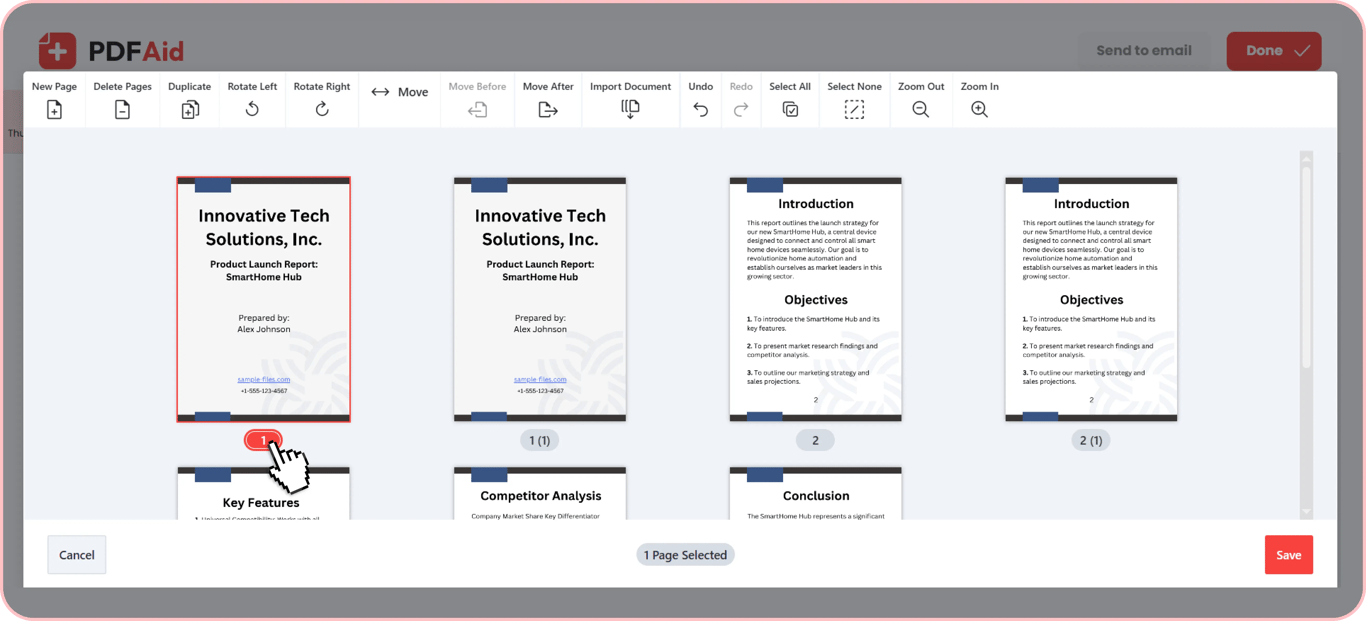
Click the thumbnail preview of the page you want to copy.
Step 3. Duplicate the page
Select the Duplicate option from the toolbar. The system generates exactly the chosen page right away.
Step 4. Choose the position
Move the new page thumbnail to the desired spot by dragging and dropping or using the Move Before, Move After buttons.
Step 5. Save your file
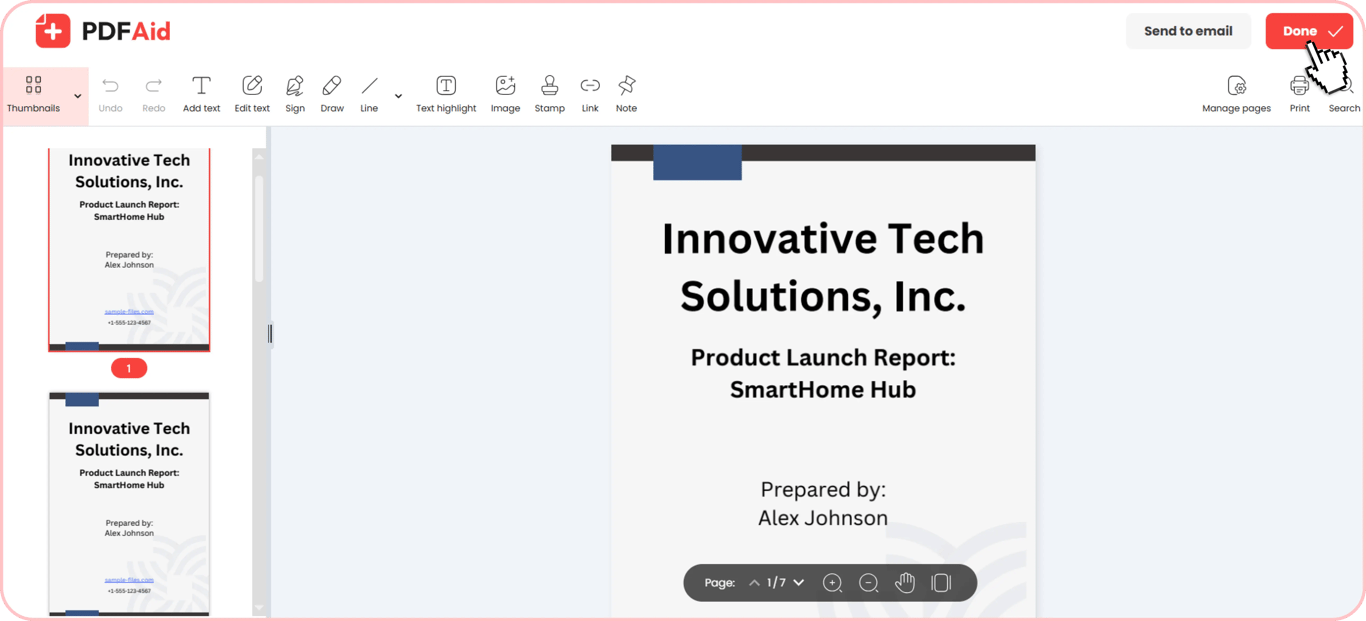
Click the Save button, press Done in the Editor, and download your updated PDF.
Duplicate one or several pages
You don't have to copy the whole document; you can copy pages from PDF files one at a time. Our editor allows you to clone single pages or select several pages at once.
When you duplicate a page, its thumbnail shows up next to the original with a temporary label “Page (1)”. You can then drag and drop these labeled thumbnails anywhere in your document order. The tool automatically renumbers each page and updates the order after you save changes.
Make a full copy of a PDF
If you need to make a copy of a PDF before adding new edits or removing content, a different file is created in your workspace when you make a full duplicate.
You can test new layouts, complete forms, or make significant edits with this setup, all while protecting your original file. Even if you make a mistake, your original document is still completely preserved in your account. Making full copies works best when preparing custom contract drafts, sharing working files with colleagues, or saving baseline templates for future projects.
When you need to duplicate pages
Duplicating pages lets you customize documents without starting from scratch. If you duplicate a PDF page multiple times, you can save hours of manual work when managing repetitive forms. Most common reasons to duplicate pages:
Repeating form templates
Duplicate a template page to fill out identical forms for different employees, products, or clients, and keep every entry in one file.
Creating draft pages for edits
Test new text layouts or alter content without changing your original page. Creating a duplicate draft page lets you make changes and keep your original file safe.
Preparing multiple copies for signatures
Certain business processes require separate signed copies of the same agreement or disclosure sheet. You can duplicate pages to generate identical blank forms for every person.
Building multi-page questionnaires or logs
Every entry on custom feedback sheets, daily logs, and printable forms requires the same page layout. Cloning the base layout keeps every page of your document consistent.
Duplicate a PDF on any device
You can duplicate pages in your documents using any web browser. Our editor runs entirely online, so you do not need to install extra plugins. Easily duplicate a PDF page online from any desktop computer or mobile device:
Windows PCs: Access the tool through Google Chrome, Microsoft Edge, or Mozilla Firefox on any desktop or laptop.
macOS computers: Manage your pages using Apple Safari, Google Chrome, or Firefox on your Mac.
Linux systems: Work with your documents using Firefox, Chromium, or Opera on any Linux distribution.
iPhones and iPads: Duplicate pages directly in Safari or Chrome on iOS and iPadOS.
Android phones and tablets: Process your files on the go using Google Chrome or Samsung Internet on Android.
Your files stay private
All documents are processed using secure, encrypted connections to keep your data safe. Your files stay accessible strictly inside your account while you work. You keep complete control over your confidential information at all times.
More PDF tools
Our workspace includes other helpful tools to make managing documents easier:
Delete Pages from PDF: Quickly remove unnecessary copies, extra templates, or unwanted pages from your file.
Reorder Pages in PDF: Replace pages in the right spot. Simply drag and drop page thumbnails to organize your document sequence.
Insert Blank Page: Add a new, empty page directly from the same editing screen whenever you need extra space for new notes.
 We’re sorry to hear that you want to cancel your subscription. If you no longer need our service, you can click Cancel plan in the Membership tab of your account. You can also contact us via live chat, at billing@pdfaid.com, or by calling +44 808 501 2541 for help with canceling your subscription.