Unlimited access to all our tools


How does it work?
Upload your file and hide sensitive information in 3 steps:
- 1
Upload or drag and drop your file.
- 2
Select the text or areas you want to hide or permanently remove.
- 3
Apply redaction and download your share-ready file.
Remove sensitive information from your PDF files using our editor.
Our editor permanently erases the text, numbers, and images you select, not just a black box on top. You get a clean, secure document that is safe to share.
How to redact a PDF
When you cover private text with a basic black shape, readers can still copy the text underneath. Our tool cleans up sensitive content, so you can securely redact information in PDF documents.
Step 1. Upload your document
Drag and drop your PDF into the workspace or upload area. You can also select it directly from your device.
Step 2. Select text or search patterns
Click the Redact icon on the top menu. Highlight words, or draw a box over images and tables. You can also use the search panel on the right to find keywords across every page.
Step 3. Apply the redaction
Check your selected blocks and click the red Mark button to confirm. The system permanently erases data from the file.
Step 4. Download your file
Save the finished PDF to your device.
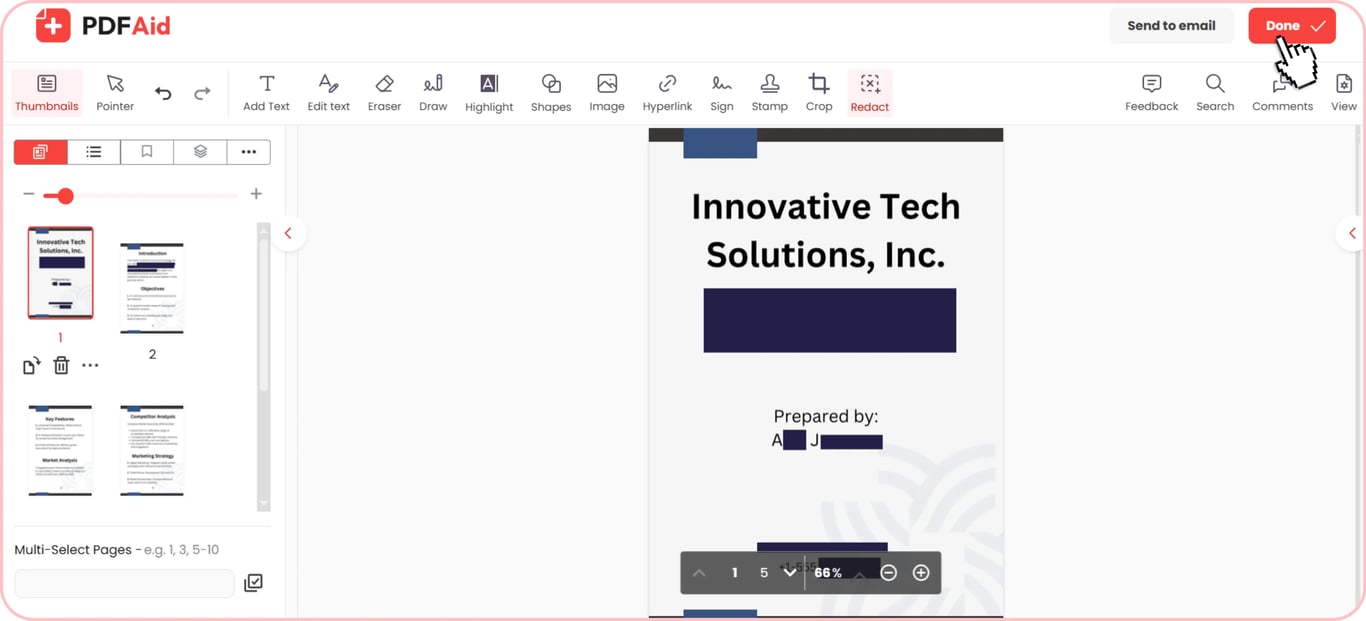
Black out text and sensitive info
When you redact text in PDF files, our tool places permanent black blocks over your data. You can black out names, credit card numbers, email addresses, and physical locations. This process erases the text underneath, so recipients cannot copy, search, or highlight the content. Removing these details means a shared copy no longer exposes them.
Blur or mask PDF feature
A page can look off if the black boxes are too prominent.
The blur PDF feature will make your document look cleaner. Yet, visual blurring is not the same as real redaction. A blur hides details, but it does not remove the code underneath. The best choice for strict legal requirements is still permanent redaction. For informal previews, draft reviews, or marketing samples, visual masks are possible.
Permanent, irreversible redaction
Your data is not protected just by drawing a simple black box over text. Standard PDF tools don't remove data; they just add a visual shape to the top of the contents. Anyone who opens the file can access your hidden data by selecting the text underneath, copying it, or deleting the box.
Our PDF redactor works differently because it gets rid of the underlying data. It hides targeted text, graphics, and data so they're no longer visible or accessible.
Once you apply redaction in our workspace, the change is permanent. Readers cannot unmask the content, search for hidden words, or extract original text from the file.
When you need document redaction
Redacting documents protects personal data and keeps private details out of the copy you send. Here are the most common situations in which you may need to redact sensitive information:
Legal files and witness privacy: Court filings, police reports, and testimonies contain names, addresses, and ID numbers.
Bank statements and financial records: These contain account numbers, credit scores, and tax IDs. You can provide evidence of income without disclosing your complete financial information.
Medical records and patient history: Healthcare documents may include personal medical histories and IDs. Removing patient identifiers is a standard step before sharing healthcare documents under HIPAA.
Contracts and business agreements: Corporate contracts contain private pricing, trade secrets, and signatures. You can share drafts with third parties by deleting some of these sensitive sections.
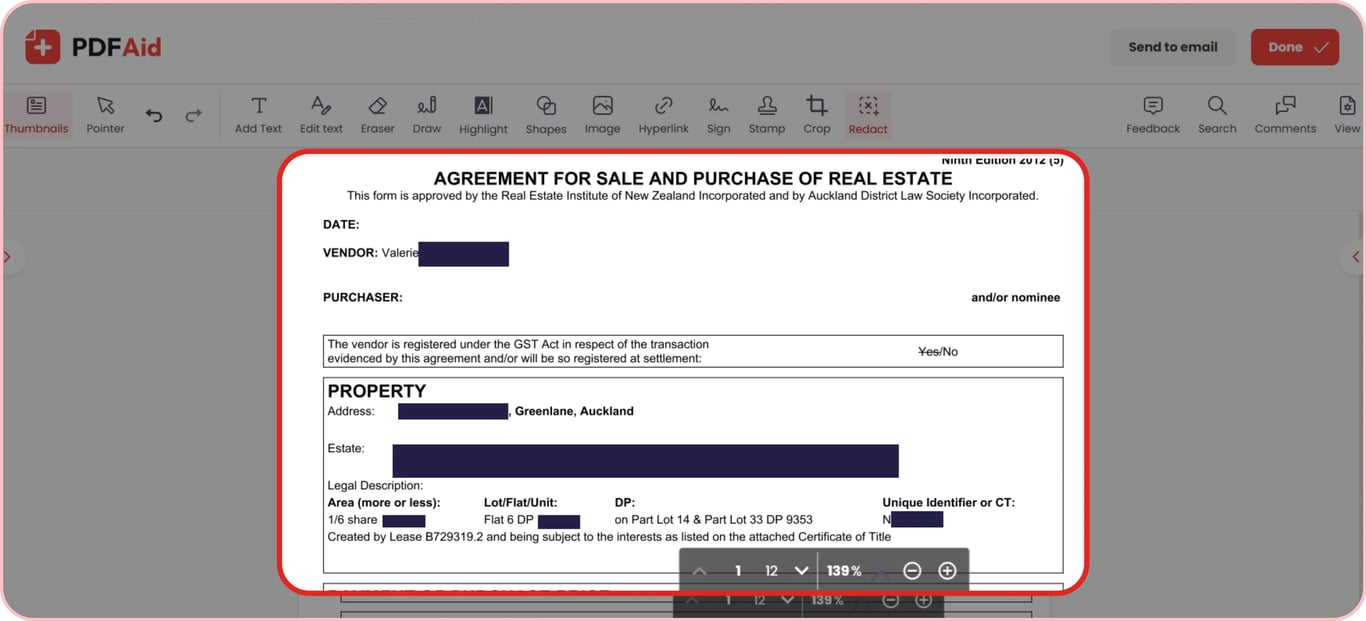
Redact a PDF online on any device
Black out sensitive text in your documents in any web browser without any special software or plugins needed:
Windows PCs: Process documents in Google Chrome, Microsoft Edge, or Mozilla Firefox on any Windows laptop or desktop.
macOS computers: Remove private details using Apple Safari, Chrome, or Firefox on your Mac.
Linux systems: Work with sensitive files through Firefox, Chromium, or Opera on any Linux distribution.
iPhones and iPads: Black out private information on mobile devices using Safari or Chrome on iOS and iPadOS.
Android phones and tablets: Secure your PDFs on the go through Google Chrome or Samsung Internet on Android.
Your files stay private
Privacy is critical whenever you redact information from legal papers, medical records, or personal IDs. Using our tool, you can be sure that every document is processed over encrypted connections. We shield your private data from unauthorized access. No unauthorized reader can view your documents because they stay locked and visible only to you. You keep total control over your personal records at all times, ensuring your information remains safe.
More PDF tools
Search and redact PDFs are not the only two features our editor can handle for you. Type a word into the search bar to find and remove keywords from long PDF files. For image files or paper documents, the built-in OCR can help redact scanned PDF text easily.
Hiding individual words is not always enough. If you have an entire page with notes on it, use our Delete PDF Pages tool to easily erase the pages. If you are just looking to remove images, photo IDs, or signatures, use our Delete Images tool to delete these items but leave the text intact.
 We’re sorry to hear that you want to cancel your subscription. If you no longer need our service, you can click Cancel plan in the Membership tab of your account. You can also contact us via live chat, at billing@pdfaid.com, or by calling +44 808 501 2541 for help with canceling your subscription.