Acceso ilimitado a todas nuestras herramientas


¿Cómo funciona?
Cargue su imagen y elimine el texto no deseado en 3 sencillos pasos:
- 1
Suba una imagen, o bien arrástrela y suéltela.
- 2
Utilice la herramienta para seleccionar y borrar texto de la imagen.
- 3
Descargue su imagen actualizada.
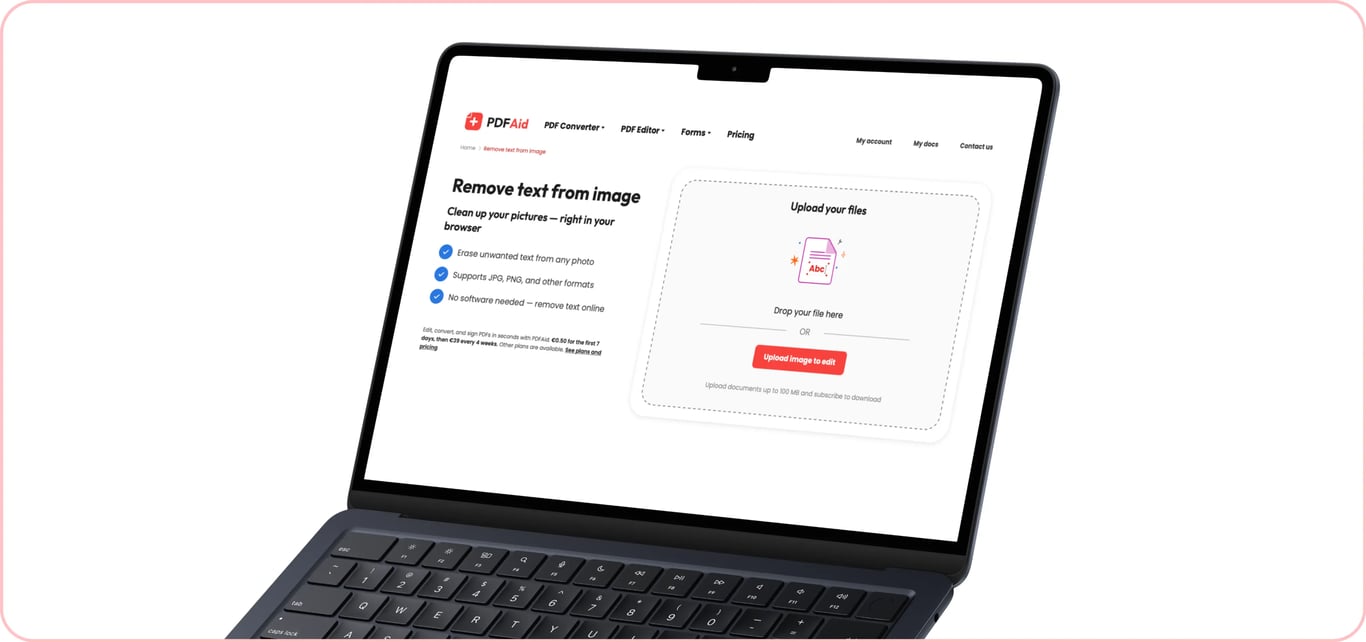
Si tiene una imagen o foto con inscripciones no deseadas, nuestra herramienta le permite eliminar texto de la imagen. La herramienta funciona completamente en línea y admite varios formatos de imagen, incluidos JPG, JPEG y PNG; solo tiene que abrirla directamente en su navegador, cargar el archivo y borrar el texto innecesario.
Cómo eliminar texto de una imagen
Nuestra herramienta para eliminar texto de imágenes funciona de forma rápida y cómoda. Para empezar, necesita una conexión a Internet y una imagen que quiera editar en un formato compatible y con un tamaño inferior a 100 MB. A continuación, siga estos pasos:
Paso 1: Cargue su imagen
Seleccione el archivo que desea cargar desde su dispositivo o arrástrelo y suéltelo en el área de carga. Nuestra herramienta le permite eliminar texto de una imagen, foto, escaneo o captura de pantalla, siempre que el archivo no supere el límite de tamaño. Para conservar mejor la calidad, se recomienda cargar el archivo original en lugar de una copia comprimida.
Paso 2: Seleccione el texto que desea eliminar
Seleccione hasta tres idiomas presentes en su archivo en el menú desplegable y espere unos segundos mientras nuestra herramienta para eliminar texto de imágenes procesa su archivo y detecta el texto que contiene. Dentro del editor, utilice la herramienta Editar texto para eliminar bloques de texto no deseados.
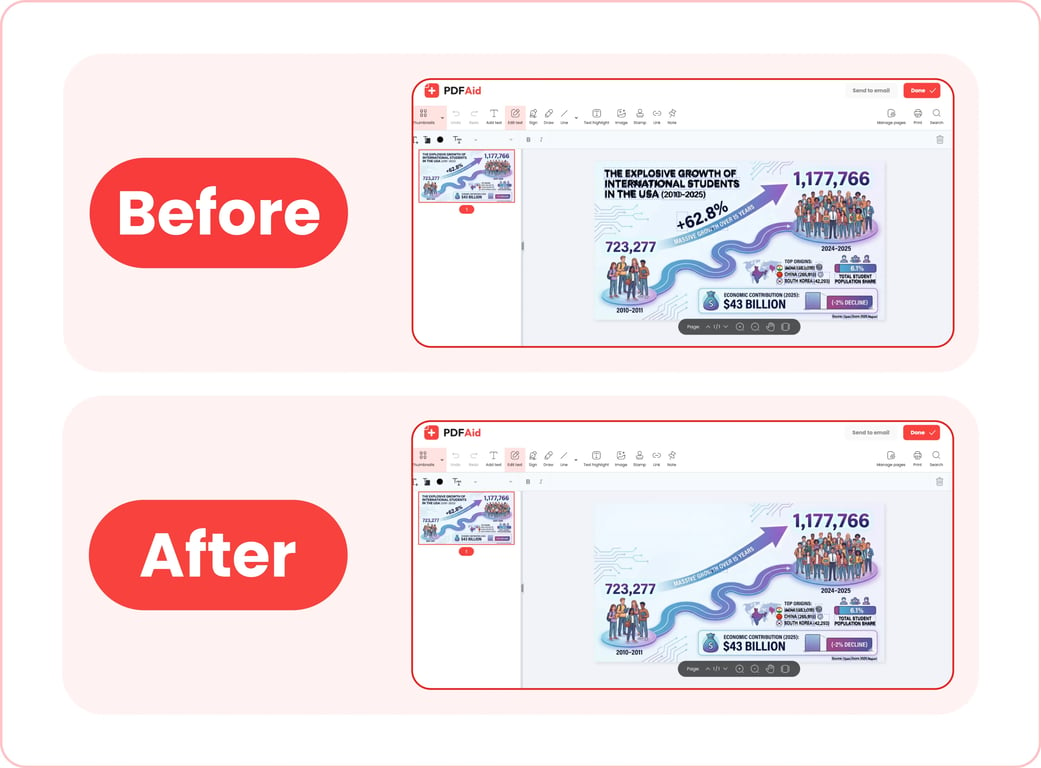
Paso 3: Guarde su imagen
Cuando termine de trabajar con nuestra herramienta para eliminar texto de imágenes, haga clic en Listo para guardar la nueva imagen en su dispositivo o en Enviar por correo electrónico para compartirla por correo electrónico. Puede cambiar el nombre de su archivo antes de descargarlo. Además, nuestro editor le permite elegir uno de los formatos de archivo compatibles para exportar: PDF, DOCX, DOC, PPT, PPTX, JPG, PNG, TXT, XLSX o XLS.
Casos de uso habituales
Nuestro borrador de texto para imágenes y fotos puede ser útil para profesionales que trabajan con escaneos de documentos, profesionales del marketing, creadores de contenido que necesitan eliminar datos confidenciales de elementos visuales y muchas otras personas. Estos son algunos casos de uso habituales:
Una foto con un sello de fecha de la cámara
Un problema habitual es que la cámara haya impreso la fecha en una esquina de la foto y no quiera o no pueda utilizarla tal cual. Recortar la foto para eliminar el sello implica cambiar su tamaño y posiblemente arruinar su aspecto. Con nuestra herramienta para eliminar texto de imágenes, puede quitar el sello sin recortar la foto. La edición suele ser imperceptible cuando el fondo detrás del sello es uniforme.
Una captura de pantalla con el nombre real de alguien
Al redactar una guía práctica para un blog o instrucciones internas de empresa que utilizan capturas de pantalla como apoyo visual, debe asegurarse de que no aparezcan datos reales y confidenciales en dichas imágenes. Con nuestra herramienta, puede eliminar rápidamente de una foto el texto que revelaría datos personales.
Una publicación guardada de redes sociales con subtítulos incrustados
Si desea guardar una foto de una publicación o historia de redes sociales que contiene una inscripción, nuestro borrador le permite eliminar el texto y obtener una foto limpia. Puede utilizarlo para eliminar texto de Snapchat de una foto o borrar subtítulos de capturas de pantalla tomadas de historias de Instagram.
Una nota escrita en un documento escaneado
Escanea un documento que contiene una nota o marca manuscrita, pero lo que realmente necesita es una copia limpia. Tradicionalmente, tendría que eliminar o cubrir manualmente las marcas no deseadas y volver a escanear el documento. Sin embargo, nuestra herramienta le permite eliminar texto escrito de imágenes sin volver a escanearlas ni perder más tiempo. Le recomendamos guardar el escaneo original antes de intentar borrar nada.
Su imagen conserva su calidad original
Cuando borra texto de una imagen con nuestra herramienta, esta no comprime automáticamente el archivo original ni cambia su calidad. Nuestro editor solo elimina escritura o texto mecanografiado innecesarios; la composición, la resolución, los colores y todo lo demás permanecen igual. Algunos consejos para obtener un resultado nítido y de alta calidad:
Utilice siempre el archivo original sin comprimirlo antes de cargarlo en nuestra herramienta.
Exporte su imagen en el mismo formato que el original.
Elimine texto de una imagen en cualquier dispositivo
Nuestro borrador de texto funciona completamente en línea. No necesita instalar aplicaciones ni software para utilizarla. Solo tiene que abrir nuestra plataforma desde su navegador y realizar las tareas necesarias. Esto significa que puede utilizar nuestra herramienta en cualquier dispositivo con navegador y conexión a Internet; los pasos sencillos para eliminar texto de una imagen en un iPhone son los mismos que en un ordenador de escritorio. La única diferencia es que, al utilizar un dispositivo móvil, puede elegir una imagen de la fototeca o los archivos de su dispositivo, o hacer una foto al instante.
Sus archivos permanecen privados y seguros
Si necesita eliminar texto no deseado de una foto privada o de una captura de pantalla que contiene información personal, nuestra herramienta le ofrece seguridad. Nuestra plataforma utiliza conexiones cifradas para transferir y procesar sus archivos. Después del procesamiento, las imágenes que carga y edita solo son accesibles desde su cuenta personal; ningún tercero puede acceder a ellas.
Herramientas similares
Nuestra plataforma es una solución versátil para distintas necesidades de gestión y edición de archivos. Cuenta con más de 50 herramientas para editar PDF, convertir archivos desde y hacia distintos formatos, comprimir archivos grandes y mucho más. Si trabaja con frecuencia con imágenes que contienen texto, disponemos de 6 herramientas más que pueden simplificar su flujo de trabajo:
Editar texto en imagen: Cambie la elección de palabras o elimine errores del texto existente sin instalar software adicional.
Añadir texto a imagen: Añada textos personalizados a cualquier imagen o foto en unos pocos clics.
Imagen a texto: Extraiga texto sin formato de una imagen o foto para editarlo o reutilizarlo.
Traducir imagen: Traduzca textos desde y hacia cualquier idioma sin tener que rediseñar la imagen.
Añadir imagen al PDF: Incorpore fácilmente imágenes en documentos PDF.
Comprimir imagen: Comprima imágenes grandes antes de compartirlas o publicarlas sin perder calidad.
 Lamentamos saber que desea cancelar su suscripción. Si ya no necesita nuestro servicio, puede hacer clic en Cancelar plan en la pestaña Afiliación de su cuenta. También puede ponerse en contacto con nosotros por chat en directo, en billing@pdfaid.com, o llamando al +44 808 501 2541 para recibir ayuda con la cancelación de su suscripción.