Unlimited access to all our tools


How does it work?
Upload your scanned file and convert it to editable text in 3 simple steps:
- 1
Upload or drag and drop your PDF.
- 2
The tool will automatically detect and extract the text.
- 3
Review, edit, and download your finished file.
Our tool lets you easily edit a scanned PDF without having to manually retype it. Simply upload the file to our website, and the tool will turn static pages into editable ones.
How to edit a scanned document
Whether you've spotted an error in a scan you need to submit, or you're working with an archived file that needs updating, editing static scans can mean a lot of extra work and stress. Our tool lets you make changes in the text of a scanned document quickly and easily. You can edit a scanned PDF of up to 100 MB following these steps:
Step 1: Upload the scanned file
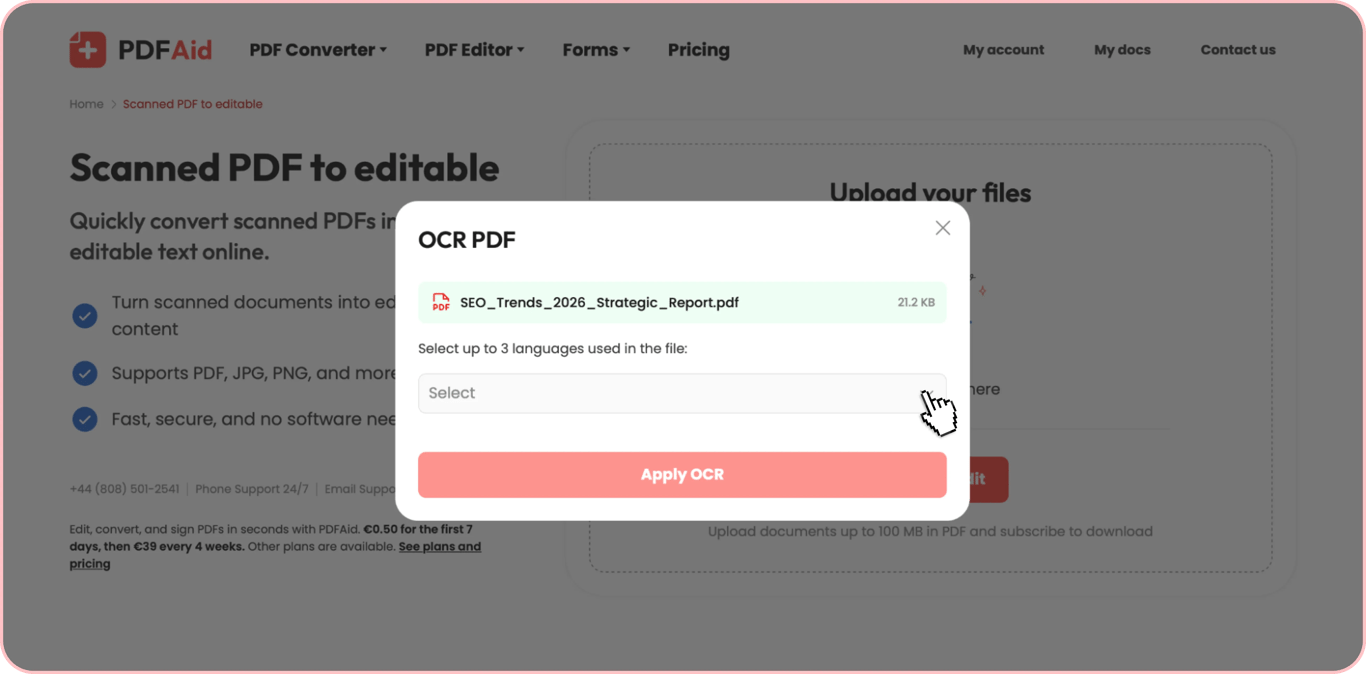
Choose the needed scanned document from your device manually or drop it into the upload area. Upload a scanned PDF, JPG, or PNG and edit the text it contains. After uploading the document, choose up to 3 languages used in it and click the Apply OCR button to start the text recognition process. Then, wait a few moments for our system to turn it into an editable file.
Step 2: Edit the text
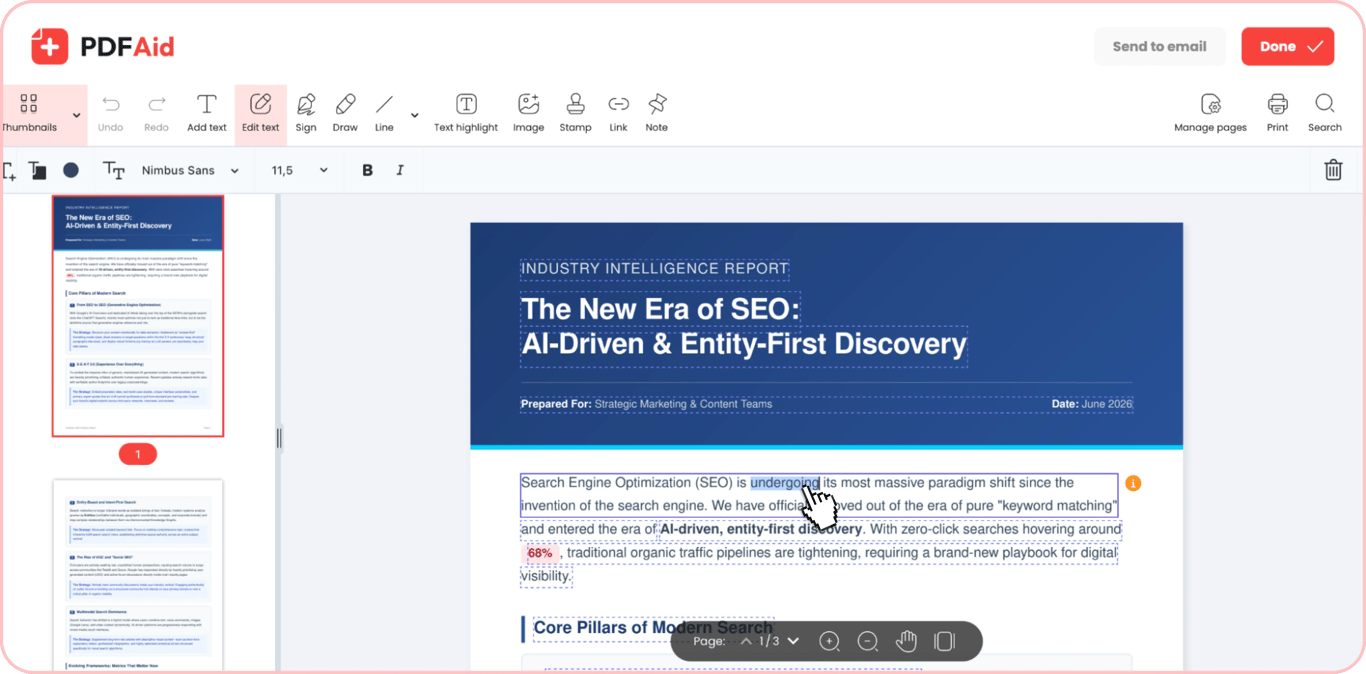
After processing, your file will open in our multi-functional editor. Edit text in the scanned PDF using the Edit text mode. This mode highlights all text blocks recognized in the file and lets you remove unnecessary information, swap words, and fix errors with ease. Find text blocks that require changes, hover the cursor over them, and make edits as you do in any document editing software.
Step 3: Save your document
After you finish working with our scanned PDF editor, you can use one of the two export options. The first one lets you save the edited file directly to your device – click Done in the upper right corner, pick the preferred format, rename your document if necessary, and click Download. The second option lets you share the ready document via email – click Send to email, pick the format, rename it, and click Send. The formats supported for export include PDF, DOCX, DOC, PPT, PPTX, JPG, PNG, TXT, XLSX, and XLS.
Common use cases
When you scan a document, you might need to make it editable if you want to reuse it for another purpose or if there is an error in personal information, dates, or other parts. Below are some common challenges that can be solved with our tool.
A certificate with the wrong date
If you detect an error in the date in a scan of a certificate or report, fixing this problem can be hard without the source file. Without it, fixing one date normally means rebuilding the document, which takes time and a lot of manual work. Our tool lets you quickly fix a single fragment of the document (e.g., the date), keeping the rest of the content and formatting intact.
A signed contract you must update
If you have a contract that has already been finalized and signed, changing even a few small details in it can feel overwhelming. Without the right tool, you would have to retype the text from the original contract to be able to make the necessary changes. But with our website, you can scan the contract, upload it, edit the text, and it’s ready to be signed again.
An old archive document you reuse
Often, archived documents, such as corporate policies, contracts, invoices, and others, can serve as a good foundation for building new documents you currently need. Many old documents live either in print or as scans that are typically non-editable. Our tool solves this problem – with its help, you can quickly scan a document and edit it or simply copy and paste it into a new digital document, without having to manually retype the whole text.
Your document keeps its original layout
After the uploading and processing of your scanned PDF, it opens in our editor with the same layout and formatting. The indents and block placement are preserved as in the original document, and recognized text opens in the closest matching font. The only thing that changes is that the content of your file becomes editable, and you can change different parts of the text to your needs. Yet, when you scan and edit PDF files, the quality of the final document depends on the quality of the scanned image you upload. Unclear or uneven scans can shift how a page looks after recognition, so scan on a flat surface where you can.
Edit scanned PDFs on any device
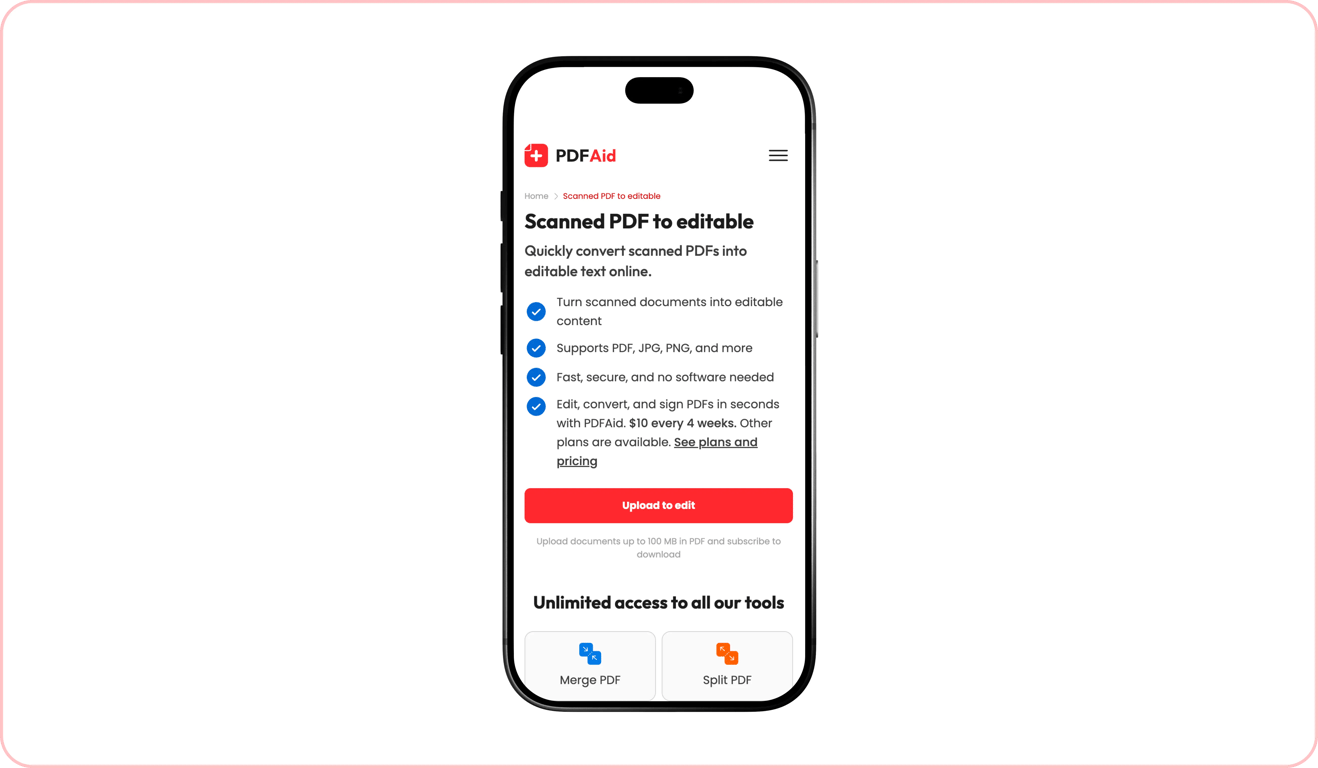
All our tools work directly from the browser without the need to install or download any software – just open our website on your device, upload files, and make the necessary changes. Our platform is friendly to all types of devices, including desktops, laptops, tablets, and smartphones. When using a mobile or tablet, you will upload the files that need to be edited from the Files folder on your device. The uploadable file size limits and steps remain the same.
Your files stay private and secure
Our platform protects the security of the documents you work with. All documents are uploaded to our servers through a secure connection. After processing, they remain available only to you through your personal account.
Similar tools
Our website makes it easy to edit and manage all kinds of PDF files. We offer you a broad set of 50+ tools meant for different tasks and needs. Here are three additional tools you may find helpful for working with your documents:
Crop PDF: Crop some or all pages in your document to reduce their size or remove unnecessary border lines.
Compress PDF: Reduce the size of your file before sharing or publication without losing quality.
Rotate PDF: Rotate all or some pages in your document by 90 or 180 degrees, keeping the actual content untouched.
 We’re sorry to hear that you want to cancel your subscription. If you no longer need our service, you can click Cancel plan in the Membership tab of your account. You can also contact us via live chat, at billing@pdfaid.com, or by calling +44 808 501 2541 for help with canceling your subscription.