Get the most current Profit & Loss Statement Form and subscribe to download
A Profit and Loss Statement (also a P&L statement or P&L) is a financial report that records your revenue, expenses, and the net income or loss over a specific period.
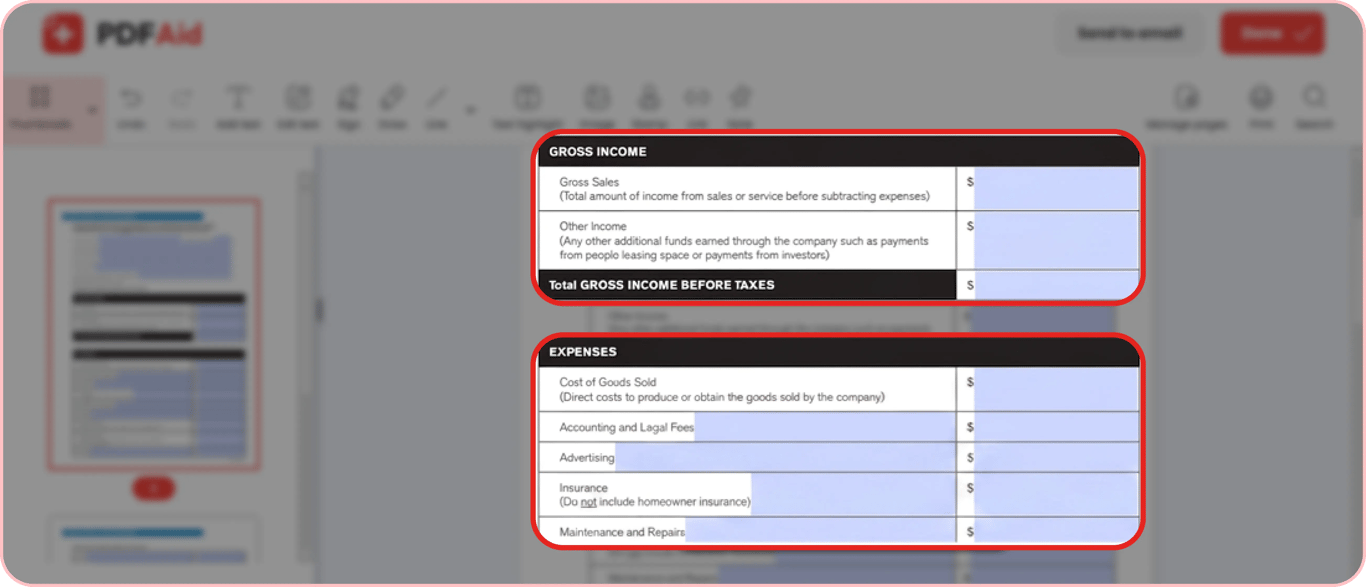
With PDFAid, you can open, fill out, and sign a P&L Statement in your browser. It takes about 5 minutes to complete this fillable form, and you don’t need to install any new software.
What is a P&L Statement?
This financial report shows important information like Income, Cost of Products Sold, Gross Profit, Operating Expenses, and Net Income or Loss for a given period (e.g., a month, quarter, or year).
Key Sections of a Profit and Loss Statement
The profit and loss account statement is read from top to bottom and includes these main sections that you need to fill out:
Revenue/Sales – the total income your business brings in before any deductions.
Cost of Goods Sold (COGS) – the direct costs related to producing or delivering the company's goods or services.
Gross Profit – calculated by subtracting COGS from total Revenue. It shows how efficiently a company produces its goods or delivers its services.
Operating Expenses (OpEx) – the day-to-day costs of running the business, like rent, salaries, and marketing.
Operating Income – the profit remaining after subtracting all operating expenses from your gross profit.
Non-operating Items – expenses and income not related to core business operations, such as interest payments and taxes.
Net Income or Net Loss – the final line of the report, showing the total amount of money the business earned or lost.
This profit and loss account statement format follows the flow of how your gross income turns into profit.
How to Fill Out a Profit and Loss Statement
To prepare a profit and loss statement in the PDFAid editor, take five steps:
Step 1. Open a fillable and printable P&L template in PDFAid and click the Fill Online button to start.
Step 2. Enter the reporting period you're covering: a month, a quarter, or a year.
Step 3. Fill in your Revenue and COGS. PDFAid calculates your Gross Profit automatically.
Step 4. List your Operating Expenses line by line.
Step 5. Review the final Net Income or Net Loss, then download or sign the completed form online.
A pre-formatted template helps you make a profit and loss statement correctly. You can also securely add a legal e-signature to your completed form directly in your browser.
Profit and Loss Statement for Self-Employed
If you're self-employed, a freelancer, or a sole proprietor, your P&L is also the foundation for IRS Form 1040 Schedule C, the Profit or Loss From Business form. When transferring data to your tax return, your total Revenue (gross receipts) goes on Line 1 of Schedule C. Part II of the form is used to report all business-related expenses, and Line 31 shows the net income or loss from IRS Form 1040 Schedule C.
The main difference from a corporate statement is that most service-based freelancers have no Cost of Goods Sold. But they have other specific expenses such as home office expenses, business mileage, and the self-employment tax deduction. Tracking these throughout the year ensures that your final tax filings are accurate.
P&L line | Revenue / Sales |
|---|---|
Schedule C Line Reference | Line 1 (Gross receipts or sales) |
P&L line | Total Operating Expenses |
|---|---|
Schedule C Line Reference | Part II (Total expenses before expenses for business use of home) |
P&L line | Net Income or Net Loss |
|---|---|
Schedule C Line Reference | Line 31 (Net income or loss) |
Profit and Loss Statement for Rental Property
For a rental property, your P&L follows the same logic as any other, just with real-estate-specific lines. You start with your Rental Income, then subtract expenses like mortgage interest, property taxes, insurance, repairs and maintenance, property management fees, and depreciation. What's left is your Net Rental Profit or Loss.
If you own the property as an individual, these figures are directly reported on IRS Schedule E (Supplemental Income and Loss). A real estate agent uses the same profit and loss format for rental property, except their Revenue comes from commissions rather than rent.
Rental Property P&L | Total Rent Received |
|---|---|
Amount | $5,000.00 |
Rental Property P&L | Less Expenses: |
|---|---|
Amount |
Rental Property P&L | Mortgage Interest |
|---|---|
Amount | $378.15 |
Rental Property P&L | Insurance |
|---|---|
Amount | $443.81 |
Rental Property P&L | Repairs |
|---|---|
Amount | $85.23 |
Rental Property P&L | Utilities |
|---|---|
Amount | $52.43 |
Rental Property P&L | Total Expenses |
|---|---|
Amount | $959.62 |
Rental Property P&L | Net Income / Loss |
|---|---|
Amount | $4,040.38 |
Get the most current Profit & Loss (P&L) Statement – Financial Performance Report form now
Up-to-date • Fillable • Ready to sign online