Onbeperkte toegang tot al onze tools
 PDF samenvoegen
 PDF splitsen
 Sjabloon maken
 PDF comprimeren
 PDF bewerken
 Watermerk toevoegen
 PDF draaien
 PDF ondertekenen
 PDF naar Word converteren
 Word naar PDF converteren
 PDF naar JPG converteren
 JPG naar PDF converteren
 PDF naar Excel converteren
 Excel naar PDF converteren
 PDF naar PowerPoint converteren
 PowerPoint naar PDF converteren
Hoe werkt het?
In 3 simpele stappen uw bestand naar bewerkbare tekst converteren:
- 1
Upload of sleep uw bestand hierheen
- 2
Selecteer de indeling die u nodig heeft.
- 3
Pas OCR toe om de tekst te extraheren en download uw bestand.
Onze OCR PDF-tool herkent tekst op gescande documenten en afbeeldingen. De tool zet de tekst om in een document met doorzoekbare inhoud die u kunt kopiëren.
Wat is OCR in een PDF
OCR PDF staat voor Optical Character Recognition, en onze tool is speciaal hiervoor ontworpen. Waar u letters ziet, ziet software een raster van pixels en tekens. OCR leest die pixels als letters en woorden en schrijft ze vervolgens terug naar het bestand als tekstlaag. Zo ontstaat een herkenbare tekstlaag die kan worden doorzocht, geselecteerd en zelfs gekopieerd. Een gescande PDF is een afbeelding van een pagina, waardoor er niets te selecteren is.
OCR toepassen op een PDF
U hoeft zelf geen specifieke acties uit te voeren. Volg deze eenvoudige instructies om uw bestanden te converteren:
Stap 1. Verplaats uw gescande document naar het uploadgebied of klik op de knop om het te selecteren.
Stap 2. Kies het downloadformaat (Word — DOC/DOCX, PDF, TXT).
Stap 3. Sla het geconverteerde bestand op uw apparaat op.
Tekst uit een gescande PDF extraheren
Uw reden om een gescande PDF naar tekst te converteren kan verschillen, bijvoorbeeld omdat u specifieke informatie wilt toevoegen aan een brief, tabel of studienotities. U hoeft die niet handmatig over te typen, omdat u na het gebruik van OCR de benodigde inhoud kunt kopiëren en extraheren. Laat de tool de tekst herkennen, waarna u snel de gewenste gegevens vindt. Houd er rekening mee dat de kwaliteit van een gescand document de nauwkeurigheid van OCR beïnvloedt. Een scheve pagina, schaduw en lage resolutie kunnen tot meer fouten leiden. Daarom is het beter om te controleren of uw bestand er goed uitziet.
Een PDF-afbeelding omzetten naar tekst
Gebruik deze tool om een afbeelding in een PDF naar tekst te converteren wanneer u informatie nodig hebt die in afbeeldingen is opgenomen. Soms kunt u uw werk niet doen zonder een tabel die op een foto staat of een document dat in een PDF is ingevoegd. Maar ook al is het een digitaal formaat, het is nog steeds geen gescand document met volledig bewerkbare tekst.
OCR kan uw bestand verwerken en leesbare inhoud vinden. Onze converter extraheert tekst en maakt het mogelijk om deze te zoeken, selecteren, kopiëren en in een ander document in te voegen. Een afbeelding kan echter ook visuele elementen bevatten die OCR niet kan herkennen. Dat is het belangrijkste verschil met een gescand document, dat alleen uit tekens en woorden bestaat.
Een PDF doorzoekbaar maken
Onze editor is de juiste tool wanneer u een PDF naar een doorzoekbare PDF moet converteren en aan uw bestanden wilt werken. Zodra OCR uw document herkent, kunt u woorden en cijfers opzoeken. Er is een tabblad Zoeken waar u kunt typen om snel belangrijke details te vinden. Het draait allemaal om deze tekstlaag die door de tool wordt gemaakt: markeer, kopieer en hergebruik de inhoud. Dit is vooral handig voor archieven, overeenkomsten en administratiemappen.
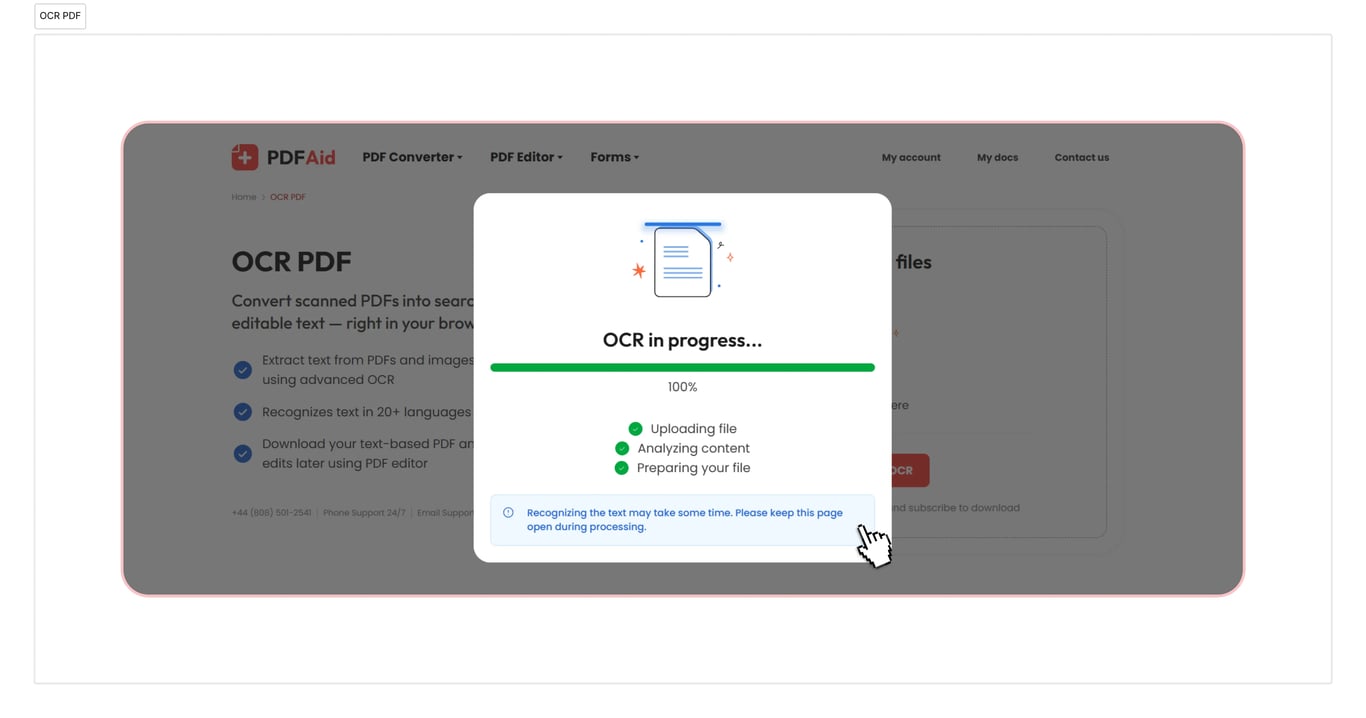
OCR naar PDF, Word, TXT
Gebruik onze PDF naar Word OCR-tool als u uw documenten moet converteren. Daarnaast verwerkt onze tool conversies naar TXT en PDF. Het gaat snel en duurt slechts enkele seconden. Uw document is direct na het downloaden klaar voor gebruik.
OCR toepassen op documenten op elk apparaat
Onze online werkruimte is volledig toegankelijk in een browser, en u hoeft geen app te installeren of uit te zoeken hoe een converter werkt. U kunt gemakkelijk met PDF-bestanden werken op Windows, Linux en andere besturingssystemen, waarbij uw documenten binnen enkele seconden klaarstaan in het formaat dat u nodig hebt. Uw account ziet er hetzelfde uit op Mac en andere apparaten, waaronder smartphones en tablets.
Uw bestanden blijven privé en veilig
Upload uw PDF voor OCR en wees ervan verzekerd dat al uw acties hier veilig en privé zijn. We gebruiken een versleutelde verbinding, en anderen hebben geen toegang tot uw bestanden of de informatie die u verstrekt. Uw gegevens en bestanden worden in uw account bewaard, en u bent de enige die ze kan bekijken of wijzigen.
Vergelijkbare tools
U hebt toegang tot meer dan 50 tools in onze werkruimte. Deze diensten helpen u uw productiviteit te verhogen:
Tekst uit PDF extraheren – bewaar alleen de meest waardevolle informatie en sla ongewenste informatie over.
Tekst uit afbeeldingen extraheren – zet foto's, screenshots of gescande afbeeldingsbestanden met OCR om in bewerkbare tekst.
Gescande PDF bewerken – converteer PDF-bestanden, JPG, PNG en andere formaten naar inhoud die u daadwerkelijk kunt bewerken.
 We vinden het jammer om te horen dat u uw abonnement wilt opzeggen. Als u onze dienst niet langer nodig hebt, kunt u in het tabblad Lidmaatschap van uw account op Abonnement opzeggen klikken. U kunt ook contact met ons opnemen via livechat, via billing@pdfaid.com of door te bellen naar +44 808 501 2541 voor hulp bij het opzeggen van uw abonnement.