PDF size limitations are common in email and website upload requirements. However, such documents may contain important images and graphics that you can't remove to make them smaller. That's why compression is a popular solution, as everything, including content and layout, stays in place. Find out how to change the file size with a PDFAid tool below.
How to compress a PDF
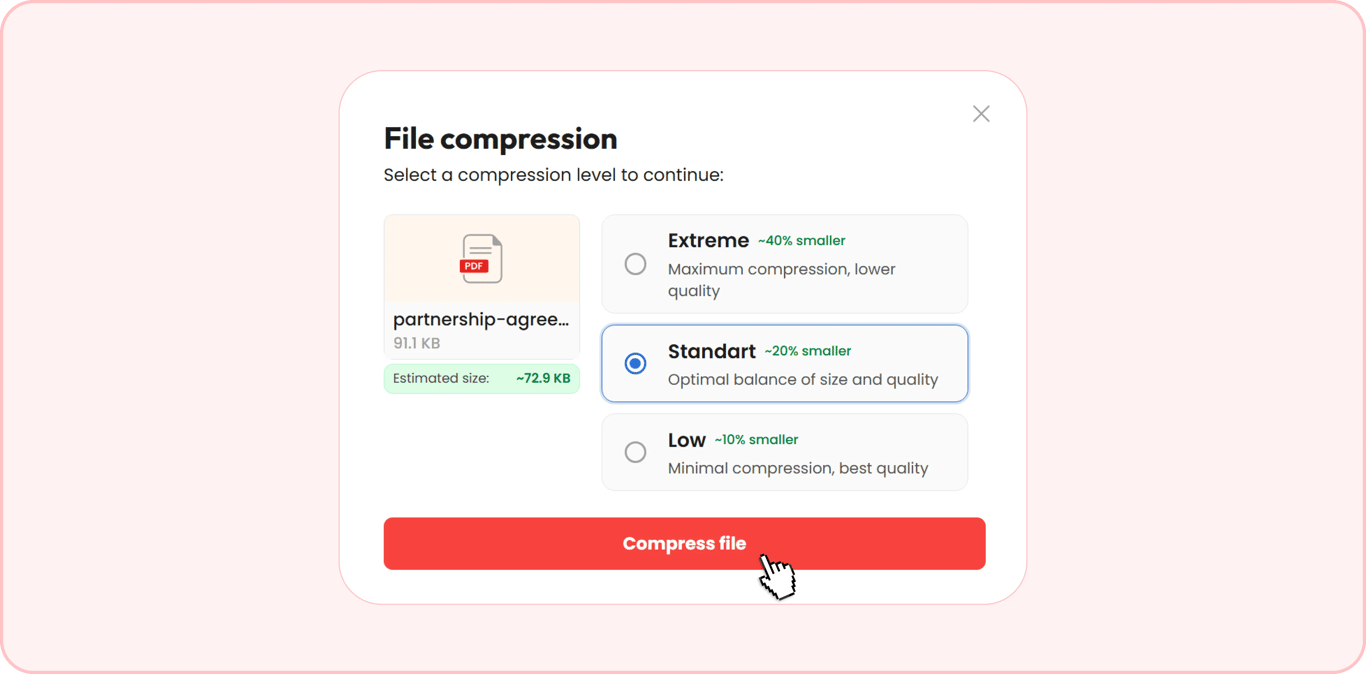
You can compress a PDF up to 100 MB in your browser by taking 3 simple steps. The tool allows you to choose the preferred compression option – Low (10%), Standard (20%), or Extreme (40%) – compared to the estimated file size.
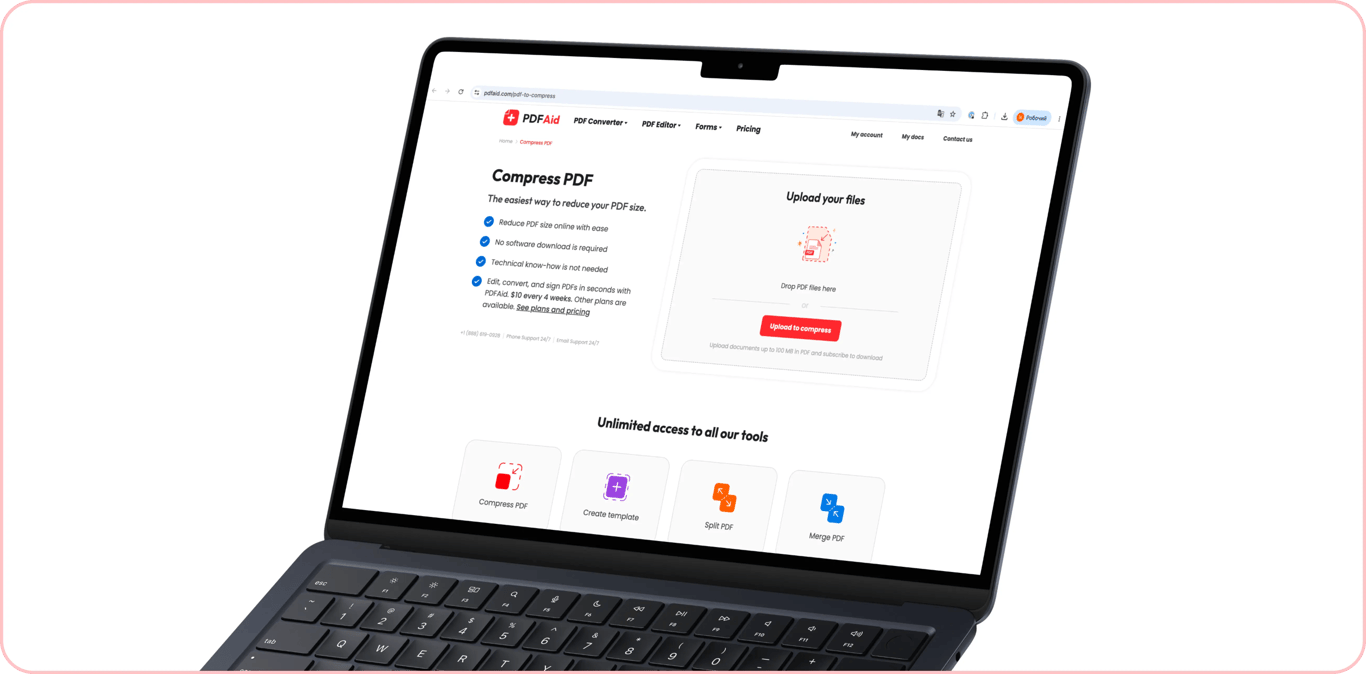
Step 1: Upload the PDF file
Open the Compress PDF tool right in a browser on your computer, smartphone, or tablet. Upload the file you want to shrink, or put it in the drag-and-drop area. You can resize one file at a time only.
Step 2: Select a compression level
Select the compression level from these three options:
Extreme — ~40% smaller
Standard — ~20% smaller
Low — ~10% smaller
Choose the compression level based on the Estimated size and limitations you need to meet. If you apply Extreme, some images can lose quality and readability. When you select the level, press Compress file to resize your PDF.
Step 3: Select the compressed file format
After compressing the file, choose the format for downloading it. To use the document for different purposes, you can save it as:
DOC/DOCX — to open and keep editing the file in a word processor.
PPT/PPTX — if you work on a presentation.
JPG/PNG — to save and share the file as an image.
TXT — for plain text.
XLSX/XLS — for tables and spreadsheets.
When you select the format, your document will be downloaded to your device.
Common PDF file size limits and tips on how to reduce file sizes even further
Sending and uploading large PDFs often becomes a headache due to strict size limitations. Let's go over some of the most common requirements and how to make your files smaller.
Passport-size photo, scanned signature, ID card scan
Websites where you need to upload photos, ID card scans, and signed documents may have specific upload size restrictions, requiring you to compress a PDF to 100 KB. The following recommendations will help you resize your files, keeping optimal quality:
Photo. The compressor will resize an image instantly, but it can result in quality loss. That's why keep your file within the site requirements and don't overdo it when trying to make it smaller. Otherwise, the platform can decline your photo.
ID card scan. If color isn't required, turning an ID image into grayscale can cut the file size roughly in half. Your document will remain readable.
Signature on white paper. In this case, cutting unnecessary margins works even better for making a file smaller. You can crop your document with our Crop PDF tool straight in your browser.
Educational certificate, birth or marriage certificate, multi-page application form
In this case, the number of pages, margins, and a higher resolution can influence the total size. Once there's a requirement to compress a PDF to 200 KB for one of these documents, follow the hints below:
Birth or marriage certificate. A file of this type is often scanned with a higher resolution than necessary, while 300 DPI is well enough. So, compression will help reduce the size without affecting readability.
Diploma and school certificate. You can crop these documents if they contain large empty margins.
Completed multi-page form. The file size depends on the number of pages, so you can select a stronger compression level to hit the 200 KB limit.
Bank statement, income or tax document, property or lease agreement
To compress a PDF to 500 KB and keep good quality and readability, consider the file type and its contents:
Agreement. A scanned document with text and signatures is considered a mixed PDF. If you compress the file, the tool will only reduce the size of inserted images, keeping the text readable.
Income or tax certificate. Avoid compressing too much, because the scanned images may degrade.
Bank statement for several months. A text PDF is already small in size, so a compressor won't help much here. Instead, you can use our PDF page remover. Delete the unnecessary pages from your file to meet the 500 KB limit.
Signed contract, insurance claim documents, medical report
Compressing and splitting a document can be the right way to change the size when it's necessary to compress a PDF to 1 MB. Here are the best options for these files:
Signed contract. If there's a scanned signature in your document, use the compressor to make the image size smaller.
Medical report with images. Pictures usually add more size to a PDF than text. Compressing them will help you meet the 1 MB attachment requirements most of all.
Insurance claim document. As this file can contain many pages, you can use the size reducer along with our Split PDF tool. After separating, you'll have a few 1 MB documents or even smaller ones and can upload or send them.
Resume with portfolio, scanned booklet or brochure, university application package
PHP's default upload_max_filesize setting is 2 MB, so many websites may require you to compress a PDF to 2 MB. You'll preserve as much quality as possible if you follow these recommendations:
Resume with portfolio. Images increase file size, so it's worth compressing them before adding them. While reviewing your resume, remove repeated or unnecessary ones. If the PDF is still larger than the upload limit, shrink the entire file.
Multi-page brochure. DPI makes the size of a document larger than the number of pages. Reduce the resolution of images to make your file smaller.
University application package. There's often a limitation for every file in this case. If one PDF is larger than necessary, use our Split PDF tool to get several separate documents.
Presentation deck, email attachment
Corporate servers may accept only 5 MB files, which means that sending a large PDF can be a challenging mission:
Presentation. When you export a PowerPoint presentation, the original resolution is usually high. A compressed file will meet the limit and keep readable content.
Email attachment. Gmail allows attachments up to 25 MB, and Outlook's desktop app defaults to 20 MB for personal accounts. Company mail servers often set their own, lower limits, so if you're sending to a business address, keep your file under 5 MB to be safe.