Необмежений доступ до всіх наших інструментів
 Об’єднати PDF
 Розділити PDF
 Створити шаблон
 Стиснути PDF
 Редагувати PDF
 Додати водяний знак
 Обернути PDF
 Підписати PDF
 Конвертувати PDF у Word
 Конвертувати Word у PDF
 Конвертувати PDF у JPG
 Конвертувати JPG у PDF
 Конвертувати PDF в Excel
 Конвертувати Excel у PDF
 Конвертувати PDF у PowerPoint
 Конвертувати PowerPoint у PDF
Як це працює?
Завантажте зображення та відредагуйте текст за 3 прості кроки:
- 1
Завантажте або перетягніть зображення.
- 2
Скористайтеся інструментом редагування, щоб змінити або видалити текст.
- 3
Завантажте свій оновлений файл.
Виправте друкарську помилку, замініть слово або оновіть напис безпосередньо на зображенні. Наш інструмент дає змогу редагувати текст на зображенні за кілька простих кроків і повністю онлайн. Не потрібно встановлювати додаткове програмне забезпечення: просто відкрийте наш інструмент у браузері, змініть текст і збережіть результат.
Як редагувати текст на зображенні
Відредагуйте текст на фото за допомогою нашого інструмента у чотири кроки:
Крок 1: Завантажте зображення
Завантажте зображення, яке потрібно відредагувати, зі свого пристрою або перетягніть його в область завантаження. Наш інструмент дає змогу редагувати текст на будь-якому зображенні, зокрема на фото, скані чи знімку екрана. Він підтримує файли розміром до 100 МБ у форматах JPG, PNG і JPEG.
Крок 2: Виберіть мову тексту
Після завантаження файлу наш редактор тексту на фото одразу відкриє спливаюче вікно з розкривним списком підтримуваних мов. Виберіть до 3 мов, які є на Вашому зображенні, і натисніть «Застосувати OCR».
Крок 3: Відредагуйте текст
У редакторі виберіть інструмент «Редагувати текст», щоб побачити всі виявлені текстові блоки на зображенні. Перегляньте всі текстові блоки, які потрібно змінити. Ви можете замінювати слова, виправляти помилки й друкарські помилки, додавати слова до напису та іншим чином редагувати текст на зображенні відповідно до своїх потреб.
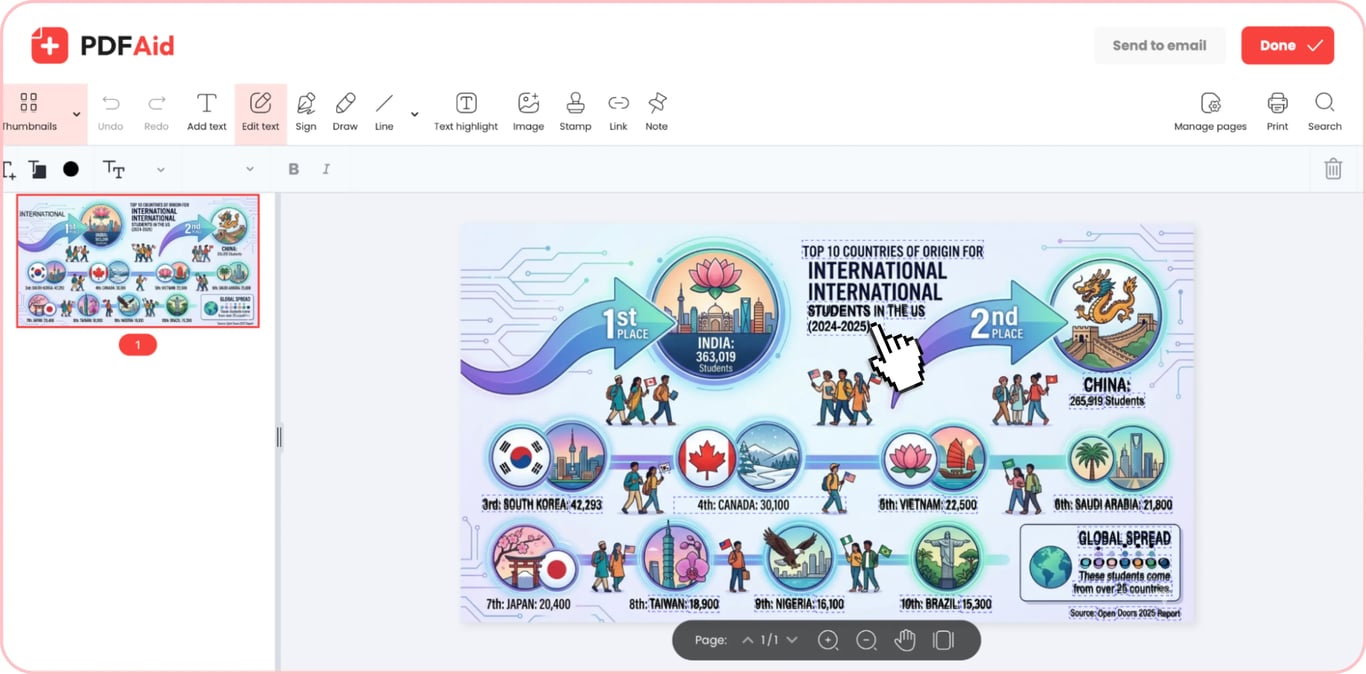
Крок 4: Збережіть зображення
Завершивши роботу з нашим редактором тексту на зображеннях, натисніть «Готово», щоб зберегти готовий файл на своєму пристрої, або «Надіслати електронною поштою», щоб надіслати його безпосередньо на свою чи чужу поштову скриньку. Під час експорту Ви можете перейменувати файл і вибрати потрібний формат. Наш редактор підтримує такі формати:
PDF
DOCX
DOC
PPT
PPTX
JPG
PNG
TXT
XLSX
XLS
Поширені випадки використання
Потреба змінити початковий текст на наявному зображенні часто виникає через помилку, застарілу інформацію або конфіденційні дані, коли немає доступу до вихідного файлу. Нижче наведено кілька можливих випадків, у яких наш інструмент для зміни тексту може бути корисним:
Банер із друкарською помилкою без вихідного файлу
Коли Ви створюєте маркетинговий банер із підрядником, він зазвичай передає готовий макет, а вихідний файл залишає собі, тому виправити друкарську помилку чи неточність у тексті складно. Наш інструмент для редагування тексту на фото дає змогу внести потрібні зміни безпосередньо в готове зображення без потреби використовувати спеціалізоване програмне забезпечення. Перед внесенням будь-яких змін завжди рекомендується зберегти копію вихідного файлу.
Знімок екрана, на якому потрібно приховати справжні дані
Коли Ви використовуєте знімки екрана для інструкції або звернення до служби підтримки, зазвичай потрібно приховати конфіденційні дані, як-от справжні імена, дати народження та контактні дані. Один із варіантів — закрити ці дані кольором, але це може вплинути на вигляд знімка екрана. Наш редактор тексту на знімках екрана дає змогу замінити справжні дані вигаданою інформацією, яка виглядає охайніше, ніж кольорові блоки поверх тексту.
Ціна або дата, що змінилися на фото
Маркетингові матеріали, як-от фотографії товарів і плакати, залишаються придатними для використання тривалий час. Застарівають лише дрібні деталі на них, наприклад ціна, дата або період акції. Редагувати такі дані зазвичай швидше й простіше, ніж переробляти весь матеріал. За допомогою нашого інструмента Ви можете швидко відредагувати текст на фото та замінити застарілу інформацію. Звертайте увагу на тип і розмір шрифту, щоб Ваші матеріали зберігали привабливий вигляд.
Текст на фото іншою мовою
Якщо у Вас є зображення з текстом, який потрібно перекласти на іншу мову, скористайтеся нашим редактором тексту на зображенні, щоб замінити напис перекладеною версією. Завантажте файл до нашого інструмента та замініть увесь текст його перекладеною версією. Якщо перекладу ще немає, спочатку скористайтеся нашим перекладачем зображень.
Зображення зберігає початкову якість
Коли Ви змінюєте текст на зображенні за допомогою нашого редактора, це не впливає на якість файлу. Наш інструмент для зміни тексту редагує лише текст — роздільна здатність, колір і макет залишаються незмінними. Він також не додає водяних знаків на зображення, тож Ви можете редагувати його без зайвих хвилювань. Однак перед збереженням зображення або надсиланням його електронною поштою зверніть увагу на вибраний формат експорту, оскільки експорт в інший формат може змінити якість.
Редагуйте текст на зображенні на будь-якому пристрої
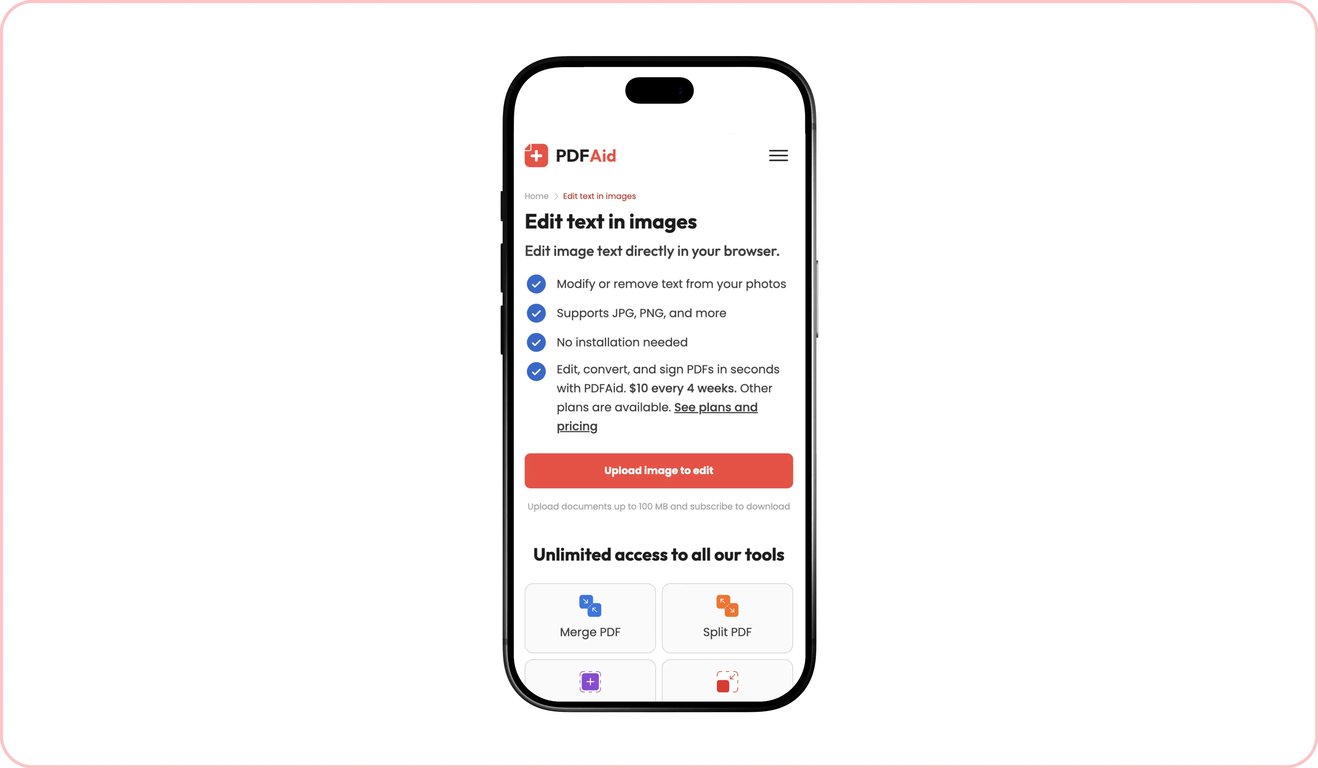
Наша платформа працює в будь-якому браузері. Вам не потрібно завантажувати й установлювати додаткове програмне забезпечення чи застосунки — просто відкрийте наш вебсайт у браузері та скористайтеся потрібними інструментами. Оскільки наша платформа повністю працює в браузері, вона також доступна на всіх пристроях. Ви можете редагувати текст на зображеннях або працювати зі своїми файлами PDF на комп’ютері чи скористатися iPhone або планшетом і працювати з нашими інструментами в дорозі.
Ваші файли залишаються конфіденційними та захищеними
Під час редагування зображення, що містить особисті або комерційні дані, варто бути обережними. З нашою платформою Ви можете не хвилюватися: усі файли, які Ви завантажуєте на наш вебсайт, передаються через захищене з’єднання. Доступ до них маєте лише Ви через свій особистий обліковий запис на нашій платформі.
Схожі інструменти
Якщо Ви часто працюєте із зображеннями та текстом, наша платформа надає доступ до низки інструментів, які роблять різні завдання з редагування та керування файлами простими й зручними:
Видалити текст із зображення: Видаліть непотрібні фрагменти тексту з наявних зображень.
Додати текст до зображення: Введіть або вставте текст на фото чи фонове зображення.
Зображення в текст: Розпізнайте текст на зображенні та витягніть його в окремий файл для редагування або повторного використання.
Перекласти зображення: Перекладайте текст на своїх зображеннях або фото з майже будь-якої мови на майже будь-яку іншу мову.
Стиснути зображення: Зменшуйте розмір зображення перед надсиланням або публікацією без втрати якості.
Зображення у PDF: Конвертуйте зображення в редаговані файли PDF за лічені миті.
 Шкода, що ви вирішили скасувати підписку. Якщо наш сервіс вам більше не потрібен, ви можете натиснути «Скасувати план» на вкладці «Підписка» у своєму обліковому записі. Також ви можете зв’язатися з нами через онлайн-чат, за адресою billing@pdfaid.com або зателефонувавши за номером +44 808 501 2541, щоб отримати допомогу зі скасуванням підписки.