Onbeperkte toegang tot al onze tools
 PDF samenvoegen
 PDF splitsen
 Sjabloon maken
 PDF comprimeren
 PDF bewerken
 Watermerk toevoegen
 PDF draaien
 PDF ondertekenen
 PDF naar Word converteren
 Word naar PDF converteren
 PDF naar JPG converteren
 JPG naar PDF converteren
 PDF naar Excel converteren
 Excel naar PDF converteren
 PDF naar PowerPoint converteren
 PowerPoint naar PDF converteren
Hoe werkt het?
Upload uw bestand en verberg gevoelige informatie in 3 stappen:
- 1
Upload uw bestand of sleep het hierheen.
- 2
Selecteer de tekst of gebieden die u wilt verbergen of permanent wilt verwijderen.
- 3
Pas redactie toe en download uw deelbare bestand.
Verwijder gevoelige informatie uit uw PDF-bestanden met onze editor.
Onze editor wist de tekst, cijfers en afbeeldingen die u selecteert permanent, niet alleen een zwarte rechthoek erbovenop. U krijgt een schoon, beveiligd document dat u veilig kunt delen.
Hoe u een PDF redigeert
Wanneer u privétekst bedekt met een eenvoudige zwarte vorm, kunnen lezers de tekst eronder nog steeds kopiëren. Onze tool schoont gevoelige inhoud op, zodat u informatie in PDF-documenten veilig kunt redigeren.
Stap 1. Upload uw document
Sleep uw PDF naar de werkruimte of het uploadgedeelte. U kunt het ook rechtstreeks op uw apparaat selecteren.
Stap 2. Selecteer tekst of zoekpatronen
Klik op het pictogram Redigeren in het bovenste menu. Markeer woorden of teken een rechthoek over afbeeldingen en tabellen. U kunt ook het zoekpaneel rechts gebruiken om op elke pagina trefwoorden te vinden.
Stap 3. Pas de redactie toe
Controleer de geselecteerde blokken en klik op de rode knop Markeren om te bevestigen. Het systeem wist de gegevens permanent uit het bestand.
Stap 4. Download uw bestand
Sla de voltooide PDF op uw apparaat op.
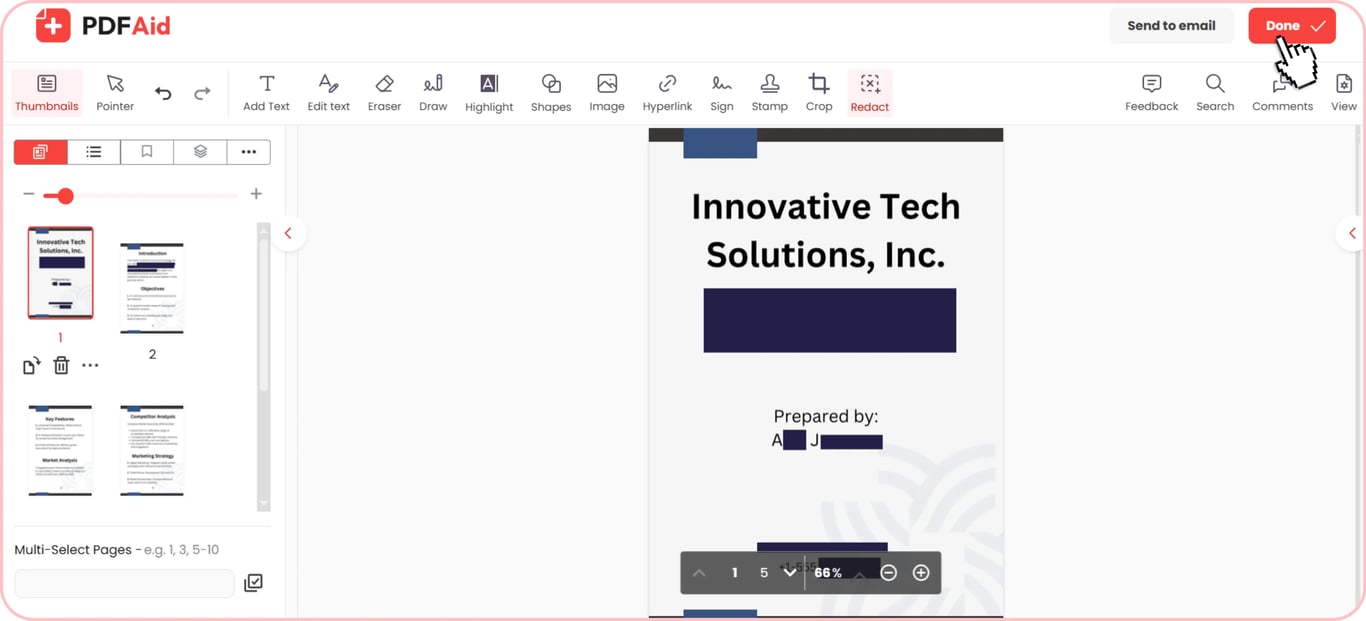
Tekst en gevoelige info zwart maken
Wanneer u tekst in PDF-bestanden redigeert, plaatst onze tool permanente zwarte blokken over uw gegevens. U kunt namen, creditcardnummers, e-mailadressen en fysieke locaties zwart maken. Dit proces wist de onderliggende tekst, zodat ontvangers de inhoud niet kunnen kopiëren, zoeken of markeren. Door deze details te verwijderen, worden ze niet meer weergegeven in een gedeelde kopie.
PDF-functie voor vervagen of maskeren
Een pagina kan er vreemd uitzien als de zwarte blokken te opvallend zijn.
Met de functie PDF vervagen ziet uw document er netter uit. Visueel vervagen is echter niet hetzelfde als echte redigering. Vervagen verbergt details, maar verwijdert de onderliggende code niet. De beste keuze voor strikte wettelijke vereisten blijft permanente redigering. Voor informele voorbeelden, conceptbeoordelingen of marketingsamples zijn visuele maskers mogelijk.
Permanente, onomkeerbare redigering
Uw gegevens zijn niet beschermd door simpelweg een zwarte rechthoek over tekst te tekenen. Standaard PDF-tools verwijderen geen gegevens; ze voegen alleen een visuele vorm toe bovenop de inhoud. Iedereen die het bestand opent, kan toegang krijgen tot uw verborgen gegevens door de onderliggende tekst te selecteren, te kopiëren of de rechthoek te verwijderen.
Onze PDF-redigeertool werkt anders, omdat deze de onderliggende gegevens verwijdert. De tool verbergt de geselecteerde tekst, afbeeldingen en gegevens, zodat ze niet meer zichtbaar of toegankelijk zijn.
Zodra u redigering in onze werkruimte toepast, is de wijziging permanent. Lezers kunnen de inhoud niet zichtbaar maken, naar verborgen woorden zoeken of oorspronkelijke tekst uit het bestand extraheren.
Wanneer u documentredigering nodig hebt
Het redigeren van documenten beschermt persoonsgegevens en houdt privégegevens buiten de kopie die u verzendt. Dit zijn de meest voorkomende situaties waarin u mogelijk gevoelige informatie moet redigeren:
Juridische dossiers en privacy van getuigen: Gerechtelijke stukken, politierapporten en getuigenverklaringen bevatten namen, adressen en ID-nummers.
Bankafschriften en financiële dossiers: Deze bevatten rekeningnummers, kredietscores en belastingnummers. U kunt bewijs van inkomen verstrekken zonder uw volledige financiële gegevens openbaar te maken.
Medische dossiers en patiëntgeschiedenis: Zorgdocumenten kunnen persoonlijke medische voorgeschiedenissen en ID's bevatten. Het verwijderen van identificerende patiëntgegevens is een standaardstap voordat zorgdocumenten volgens HIPAA worden gedeeld.
Contracten en zakelijke overeenkomsten: Bedrijfscontracten bevatten vertrouwelijke prijsafspraken, bedrijfsgeheimen en handtekeningen. U kunt concepten met derden delen door enkele van deze gevoelige onderdelen te verwijderen.
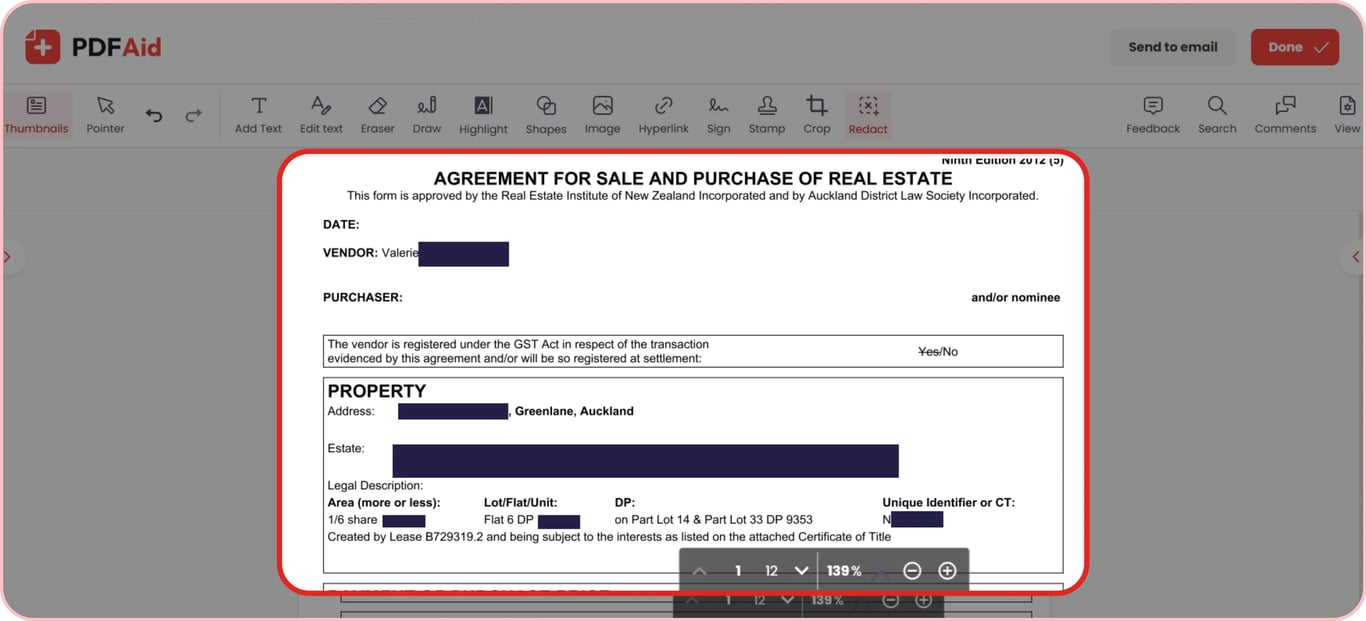
Een PDF online redigeren op elk apparaat
Maak gevoelige tekst in uw documenten zwart in elke webbrowser, zonder speciale software of plug-ins:
Windows-pc's: Verwerk documenten in Google Chrome, Microsoft Edge of Mozilla Firefox op elke Windows-laptop of -desktop.
macOS-computers: Verwijder privégegevens met Apple Safari, Chrome of Firefox op uw Mac.
Linux-systemen: Werk met gevoelige bestanden via Firefox, Chromium of Opera op elke Linux-distributie.
iPhones en iPads: Maak privé-informatie zwart op mobiele apparaten met Safari of Chrome op iOS en iPadOS.
Android-telefoons en -tablets: Beveilig uw pdf's onderweg via Google Chrome of Samsung Internet op Android.
Uw bestanden blijven privé
Privacy is essentieel wanneer u informatie redigeert uit juridische documenten, medische dossiers of persoonlijke identiteitsbewijzen. Met onze tool kunt u erop vertrouwen dat elk document via versleutelde verbindingen wordt verwerkt. We beschermen uw privégegevens tegen onbevoegde toegang. Geen onbevoegde lezer kan uw documenten bekijken, omdat ze vergrendeld blijven en alleen voor u zichtbaar zijn. U behoudt te allen tijde volledige controle over uw persoonlijke documenten, zodat uw informatie veilig blijft.
Meer PDF-tools
PDF's doorzoeken en redigeren zijn niet de enige twee functies die onze editor voor u kan uitvoeren. Typ een woord in de zoekbalk om trefwoorden in lange PDF-bestanden te vinden en te verwijderen. Voor afbeeldingsbestanden of papieren documenten kan de ingebouwde OCR helpen om tekst in gescande PDF's eenvoudig te redigeren.
Afzonderlijke woorden verbergen is niet altijd voldoende. Als u een volledige pagina met notities hebt, gebruik dan onze tool PDF-pagina's verwijderen om de pagina's eenvoudig te wissen. Als u alleen afbeeldingen, foto-ID's of handtekeningen wilt verwijderen, gebruik dan onze tool Afbeeldingen verwijderen om deze items te verwijderen en de tekst intact te laten.
 We vinden het jammer om te horen dat u uw abonnement wilt opzeggen. Als u onze dienst niet meer nodig hebt, kunt u op Plan opzeggen klikken op het tabblad Lidmaatschap in uw account. U kunt ook contact met ons opnemen via livechat, op billing@pdfaid.com of door te bellen naar +44 808 501 2541 voor hulp bij het opzeggen van uw abonnement.