Quyền truy cập không giới hạn đến tất cả các công cụ của chúng tôi


Cách thức hoạt động?
Chuyển đổi PDF của bạn sang văn bản trong 3 bước đơn giản:
- 1
Tải lên hoặc kéo và thả PDF của bạn.
- 2
Chọn định dạng bạn muốn.
- 3
Trích xuất văn bản từ tập tin của bạn bằng OCR và tải về văn bản đã trích xuất.
Công cụ trích xuất văn bản của chúng tôi cho phép bạn chuyển đổi PDF sang văn bản và xuất ở định dạng mong muốn. Nhờ công nghệ OCR tiên tiến, tính năng này hoạt động với hơn 20 ngôn ngữ.
Cách trích xuất văn bản từ PDF
Chỉ cần 3 bước để trích xuất văn bản bằng công cụ trích xuất văn bản PDF của chúng tôi:
Bước 1: Tải tài liệu lên
Thả PDF vào khu vực tải lên hoặc chọn từ thiết bị của bạn. Công cụ của chúng tôi cho phép bạn chuyển đổi bất kỳ tập tin PDF nào sang văn bản nếu dung lượng không vượt quá 100 MB.
Bước 2: Chọn định dạng và chuyển đổi sang văn bản
Chọn một trong ba tùy chọn định dạng để tải tập tin của bạn xuống:
Word: Giữ nguyên định dạng ban đầu và cung cấp văn bản có thể chỉnh sửa sau khi trích xuất.
PDF: Tạo tập tin PDF mới với văn bản có thể chọn và tìm kiếm được trích xuất từ tập tin gốc.
TXT: Cung cấp tập tin TXT có văn bản có thể chỉnh sửa nhưng không có định dạng.
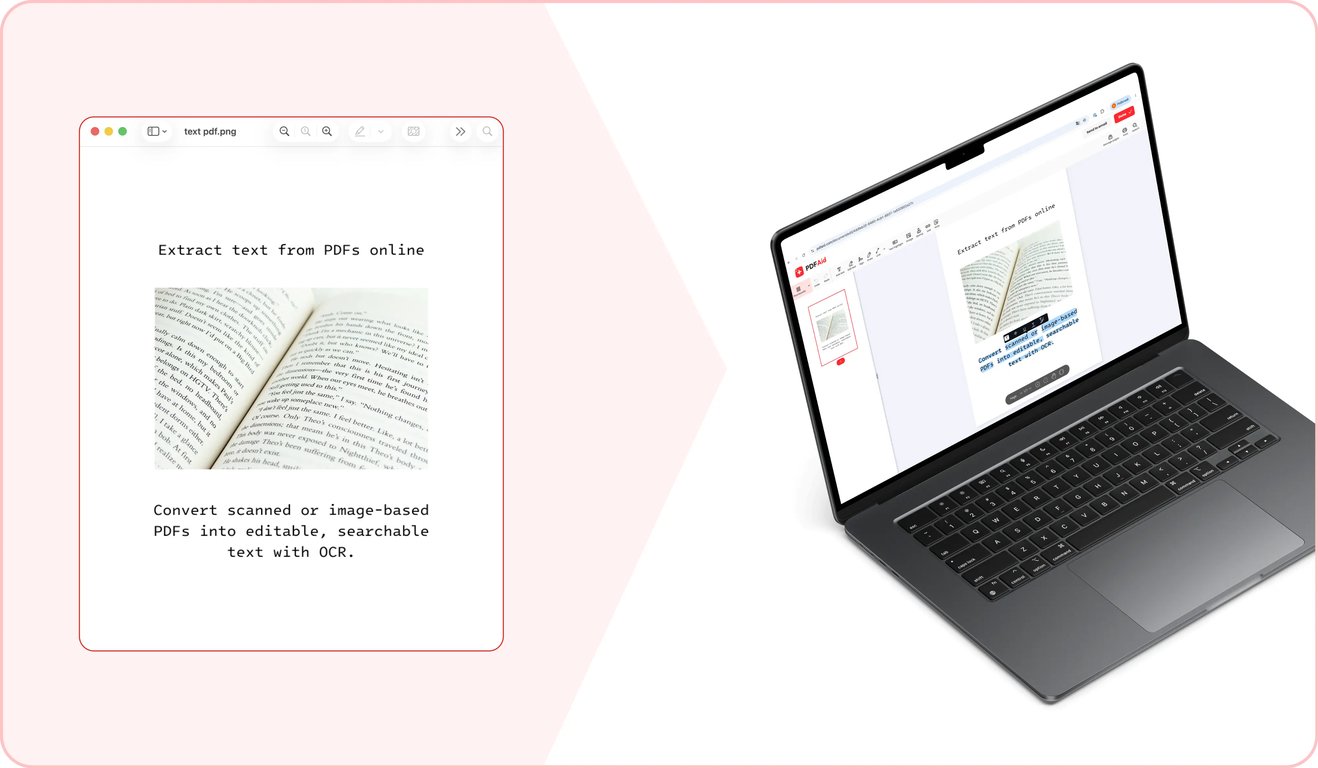
Sau khi chọn, hãy nhấp vào Áp dụng OCR. Công cụ của chúng tôi sẽ mất một chút thời gian để nhận diện văn bản trong tập tin PDF của bạn và trích xuất văn bản đó sang định dạng đã chọn.
Bước 3: Xuất tài liệu cuối cùng
Sau khi công cụ hoàn tất trích xuất văn bản từ PDF, hãy tải tập tin mới ở định dạng đã chọn về thiết bị của bạn.
Các trường hợp sử dụng phổ biến
Bạn có thể cần trích xuất văn bản thuần từ PDF trong nhiều tình huống khác nhau. Điều này hữu ích khi bạn cần trích dẫn từ các tài liệu lớn hoặc cần làm cho nội dung tài liệu có thể tìm kiếm và chọn được. Công cụ của chúng tôi giúp bạn thực hiện việc này nhanh chóng. Dưới đây là một số trường hợp sử dụng phổ biến:
Trích dẫn cần dùng từ một báo cáo dài
Khi tạo bản trình bày hoặc viết thư dựa trên một báo cáo dài, bạn có thể cần sử dụng các trích dẫn trực tiếp từ tập tin gốc. Về mặt kỹ thuật, bạn có thể tự nhập lại thủ công các phần văn bản cần thiết. Tuy nhiên, việc này tốn khá nhiều thời gian. Công cụ của chúng tôi cho phép bạn sao chép văn bản từ PDF và dán ngay vào bản trình bày hoặc email. Để tránh các lỗi có thể xảy ra, hãy đảm bảo kiểm tra kỹ mọi số liệu hoặc con số quan trọng sau khi dán.
Tài liệu bạn muốn xây dựng lại từ phiên bản cũ
Khi có một hợp đồng hoặc chính sách cũ cần cập nhật, bạn có thể xây dựng phiên bản mới từ đầu. Trong trường hợp này, bạn sẽ phải dành thêm thời gian để soạn thảo các điều khoản cơ bản. Hoặc bạn có thể tiết kiệm thời gian bằng cách sử dụng phiên bản cũ làm nền tảng. Công cụ của chúng tôi cho phép bạn chuyển đổi PDF sang tài liệu văn bản sẵn sàng để viết lại và áp dụng định dạng mới.
Văn bản để dịch hoặc phân tích
Khi bạn có một PDF cần được xử lý bằng công cụ phân tích hoặc công cụ dịch thuật, một vấn đề bạn có thể gặp phải là nhiều công cụ trong số đó chỉ chấp nhận văn bản thuần thay vì PDF. Hãy sử dụng tính năng chuyển đổi PDF sang văn bản của chúng tôi để trích xuất văn bản có thể dễ dàng đưa vào một công cụ khác.
Chuyển đổi PDF sang văn bản trên mọi thiết bị
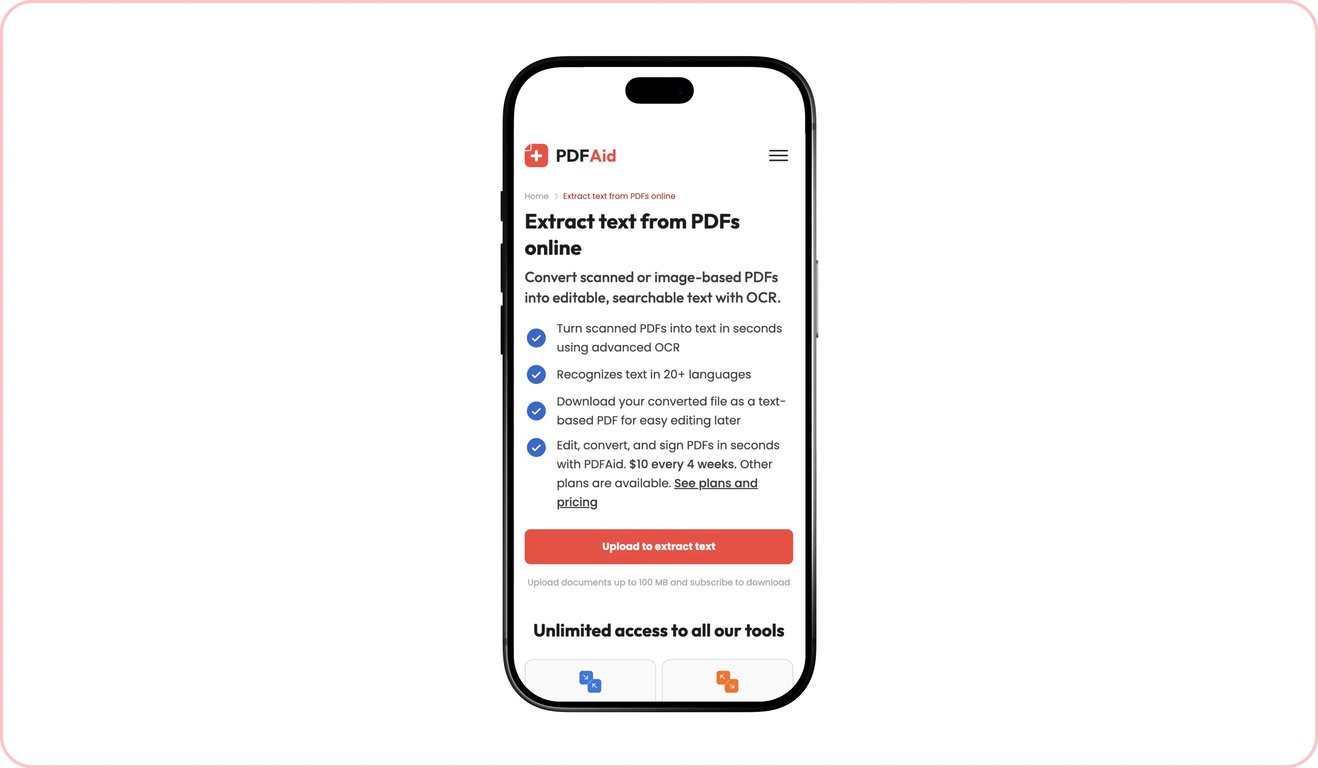
Nền tảng của chúng tôi và tất cả các công cụ được tích hợp trên đó đều hoạt động hoàn toàn trực tuyến từ trình duyệt — không cần cài đặt phần mềm đặc biệt, bạn chỉ cần có kết nối Internet. Nhờ đó, bạn có thể dễ dàng sử dụng chúng trên mọi thiết bị, bao gồm máy tính Windows và Mac, điện thoại iOS và Android, cũng như máy tính bảng chạy các hệ điều hành khác nhau.
Tập tin của bạn luôn riêng tư và an toàn
Tất cả tài liệu được truyền qua các cổng bảo mật. Sau khi sử dụng xong công cụ của chúng tôi, chỉ bạn mới có thể truy cập mọi tập tin thông qua tài khoản cá nhân của mình. Bên thứ ba không thể truy cập tài liệu của bạn.
Các công cụ tương tự
Với nền tảng của chúng tôi, bạn có thể thực hiện nhiều tác vụ khác nhau với PDF và các tập tin khác. Nếu bạn thường xuyên làm việc với các tập tin PDF chứa văn bản và các hình ảnh mà bạn cần trích xuất văn bản từ đó hoặc làm cho văn bản có thể tìm kiếm hay chọn được, chúng tôi có thêm ba công cụ có thể hỗ trợ:
PDF sang Word: Chuyển đổi các tập tin PDF có chứa văn bản thành tài liệu Word giữ nguyên định dạng bằng trình chuyển đổi của chúng tôi.
OCR PDF: Làm cho văn bản trong PDF đã quét có thể tìm kiếm và chọn được bằng công cụ OCR của chúng tôi.
Hình ảnh sang văn bản: Trích xuất văn bản thuần từ hình ảnh và ảnh chụp ở nhiều định dạng khác nhau, bao gồm JPG, PNG và các định dạng khác.
 Chúng tôi rất tiếc khi biết bạn muốn hủy gói đăng ký. Nếu bạn không còn cần dịch vụ của chúng tôi, bạn có thể nhấp vào Hủy gói trong tab Tư cách thành viên trong tài khoản của bạn. Bạn cũng có thể liên hệ với chúng tôi qua trò chuyện trực tiếp, qua billing@pdfaid.com, hoặc gọi +44 808 501 2541 để được trợ giúp về việc hủy gói đăng ký.