Quyền truy cập không giới hạn đến tất cả các công cụ của chúng tôi


Cách thức hoạt động?
Chuyển đổi ảnh của bạn sang văn bản trong 3 bước nhanh chóng:
- 1
Tải lên hoặc kéo và thả ảnh của bạn.
- 2
Chọn định dạng tập tin của bạn.
- 3
Tải về tập tin của bạn với văn bản dạng chỉnh sửa được.
Với PDFAid, bạn có thể trích xuất văn bản từ hình ảnh và chuyển chúng thành tài liệu có thể chỉnh sửa ngay trong trình duyệt. Chuyển đổi ảnh chụp, bản quét và ảnh chụp màn hình thành tập tin Word, PDF hoặc TXT mà không cần gõ lại thủ công. Công cụ của chúng tôi hoạt động trên mọi thiết bị, không cần cài đặt, mang đến văn bản rõ ràng và có thể sử dụng.
Cách trích xuất văn bản từ hình ảnh
Chuyển đổi hình ảnh thành tài liệu có thể chỉnh sửa chỉ trong vài giây. Trích xuất văn bản nhanh từ các tập tin hình ảnh với PDFAid. Nhờ đó, bạn có thể sắp xếp, chỉnh sửa và sao chép nội dung mà không cần gõ lại từ đầu.
Bước 1: Tải lên hình ảnh
Kéo và thả tập tin trực tiếp vào khu vực tải lên trên màn hình. Bạn cũng có thể nhấp vào nút Tải lên hình ảnh để duyệt và chọn ảnh từ bộ nhớ thiết bị. Công cụ trích xuất văn bản từ hình ảnh của chúng tôi hỗ trợ các định dạng phổ biến như JPG, PNG hoặc TIFF và chuẩn bị tập tin để chuyển đổi.
Bước 2: Chọn định dạng đầu ra
Chọn loại tập tin trước khi trích xuất văn bản từ hình ảnh. Bạn có thể chọn một trong 3 định dạng phổ biến:
Word (DOCX): Phù hợp nhất nếu bạn cần viết lại đoạn văn, thay đổi định dạng văn bản hoặc cộng tác với đồng nghiệp.
PDF: Lý tưởng để tạo tài liệu gọn gàng, có thể in và giữ bố cục nhất quán trên mọi thiết bị.
TXT: Hoàn hảo cho văn bản thuần, không định dạng mà bạn có thể dán vào ghi chú, cơ sở dữ liệu hoặc trình soạn thảo mã.
Bước 3: Tải xuống tài liệu
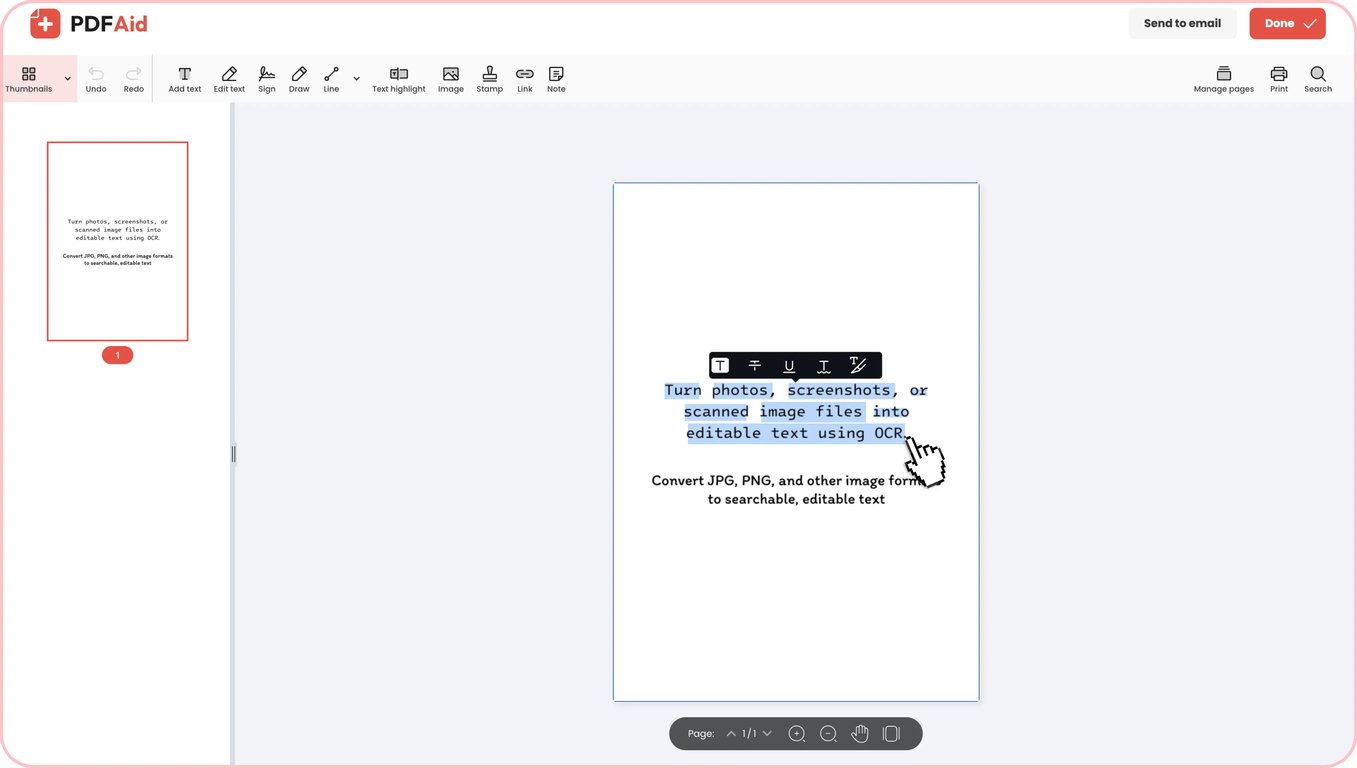
Công cụ trích xuất văn bản từ hình ảnh của chúng tôi tự động xử lý tập tin sau khi bạn chọn định dạng. Hệ thống nhận dạng ký tự quang học có thể nhận diện từ ngữ, kiểu phông chữ và bố cục cấu trúc, chẳng hạn như danh sách đánh số hoặc gạch đầu dòng. Ngay khi quá trình xử lý hoàn tất, hãy tải tài liệu đã hoàn thành trực tiếp xuống thiết bị.
Các trường hợp sử dụng thực tế
Nhận dạng ký tự quang học giúp tiết kiệm thời gian mỗi khi bạn cần chuyển hình ảnh tĩnh thành văn bản có thể chỉnh sửa. Dưới đây là một số tình huống phổ biến mà việc chuyển hình ảnh thành văn bản có thể giúp công việc hằng ngày trở nên dễ dàng hơn:
Khi máy quét duy nhất là camera điện thoại
Bạn thường cần số hóa biên lai, ghi chú trên bảng trắng hoặc các trang sách khi đang di chuyển mà không có máy quét văn phòng. Bạn có thể nhanh chóng chụp ảnh bằng điện thoại và chuyển thành văn bản chỉ trong vài giây. Văn bản sẽ trở thành bản sao có thể chỉnh sửa để bạn chia sẻ, chỉnh sửa hoặc lưu trữ sau khi chuyển đổi ảnh thành văn bản.
Hợp đồng, thư từ và chứng chỉ trên giấy
Việc đọc thủ công qua hàng chồng tài liệu giấy để tìm một điều khoản cụ thể có thể mất nhiều giờ. Khi chuyển đổi hình ảnh thành văn bản, các thỏa thuận, thư từ và chứng chỉ cũ sẽ trở nên hoàn toàn có thể tìm kiếm. Bạn có thể dễ dàng sao chép các đoạn quan trọng, điều chỉnh các điều khoản đã lỗi thời hoặc tìm các điều khoản cụ thể sau khi chuyển đổi.
Văn bản bị khóa trong ảnh chụp màn hình
Hội thảo trực tuyến, bài thuyết trình video và hộp thoại hệ thống thường chứa thông tin hữu ích mà bạn không thể sao chép trực tiếp. Với PDFAid, bạn có thể chuyển đổi ảnh chụp màn hình thành văn bản và trích xuất các trích dẫn, đoạn mã và bảng dữ liệu bị khóa đó. Bạn có thể dán văn bản trực tiếp vào ghi chú thay vì phải gõ lại thủ công từ đầu.
Danh thiếp và biên lai mà bạn không muốn gõ lại
Bạn có thể sử dụng công cụ của chúng tôi như một máy quét danh thiếp kỹ thuật số để nhanh chóng xử lý các chồng danh thiếp và biên lai sau hội nghị hoặc chuyến công tác. Số điện thoại, địa chỉ email, tổng tiền và ngày tháng được trích xuất chính xác, vì vậy bạn không cần lo mắc lỗi khi theo dõi liên hệ hoặc lập báo cáo chi phí. Nếu phông chữ trên biên lai nhỏ, hãy chụp cận cảnh trên nền đơn sắc và tránh bị chói sáng.
Bảng giá và lịch trình được gửi dưới dạng ảnh
Khi nhà cung cấp hoặc đồng nghiệp gửi lịch trình và bảng giá dưới dạng hình ảnh, hãy sử dụng các công cụ chuyển hình ảnh thành văn bản để trích xuất dữ liệu. Nếu chuyển đổi hình ảnh thành bảng văn bản, bố cục theo cột có thể bị chuyển thành các dòng văn bản thuần, vì vậy hãy dành chút thời gian kiểm tra các số liệu và khoảng cách cuối cùng. Để nhận diện rõ ràng, hãy chụp ảnh thẳng, đủ sáng, bao quát toàn bộ trang và chia các danh mục giá dài thành vài ảnh riêng biệt.
Thông báo lỗi và mã được chia sẻ dưới dạng ảnh chụp màn hình
Lỗi chính tả trong các biến và đường dẫn dài thường xảy ra khi bạn gõ lại thông báo lỗi trên thiết bị đầu cuối, nhật ký máy chủ hoặc đoạn mã từ ảnh chụp màn hình. Công cụ đọc văn bản từ hình ảnh trích xuất trực tiếp cú pháp từ ảnh chụp màn hình. Để đảm bảo các tập lệnh hoạt động, hãy kiểm tra kỹ những ký tự có thể khó đọc, chẳng hạn như chữ số không, chữ O viết hoa, số 1 và chữ l viết thường.
Định dạng được hỗ trợ
Công cụ trực tuyến của chúng tôi hoạt động với những định dạng hình ảnh phổ biến nhất, giúp việc nhận dạng văn bản trở nên nhanh chóng và đơn giản. Bạn có thể dễ dàng chuyển đổi JPG thành văn bản từ ảnh chụp bằng điện thoại, tài liệu quét và hình ảnh trên web, đồng thời được hỗ trợ đầy đủ đối với tập tin JPEG. Nếu làm việc với ảnh chụp màn hình, sơ đồ hoặc biểu đồ kỹ thuật số, hãy chuyển đổi PNG thành văn bản để trích xuất rõ ràng từng chữ cái và con số. Chỉ cần tải lên tập tin JPG, JPEG hoặc PNG, hệ thống sẽ chuyển dữ liệu hình ảnh thành văn bản có thể sử dụng.
Chuyển hình ảnh thành văn bản trên mọi thiết bị
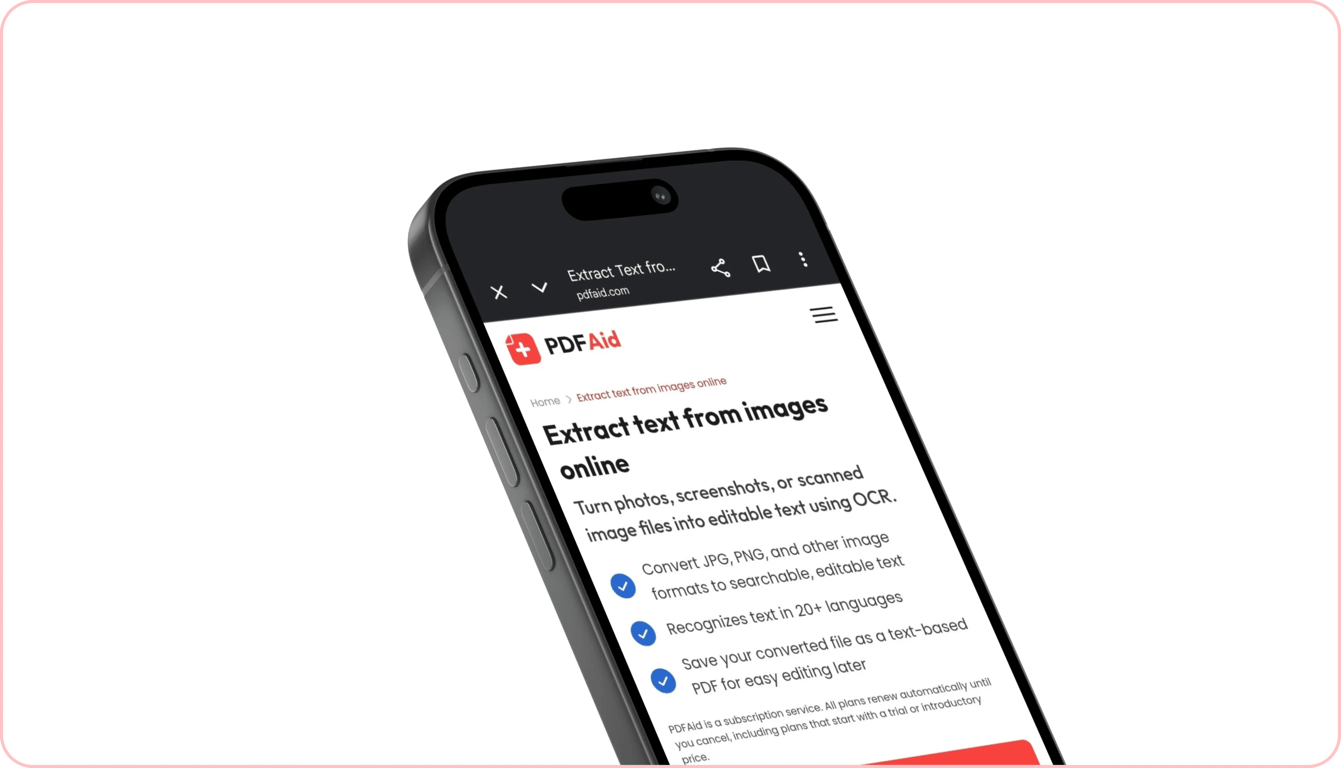
Bạn có thể trích xuất từ ngữ từ hình ảnh trên mọi máy tính, máy tính bảng hoặc điện thoại thông minh mà không cần cài đặt thêm ứng dụng hay phần mềm. Công cụ của chúng tôi hoạt động hoàn toàn trực tuyến trong trình duyệt web, giúp chuyển đổi văn bản nhanh chóng và có thể truy cập ở mọi nơi.
Nếu đang làm việc tại bàn, bạn có thể xử lý bản quét độ phân giải cao trên máy tính xách tay Windows hoặc trích xuất văn bản bằng máy Mac. Khi không ở bàn làm việc, bạn có thể nhanh chóng sao chép văn bản từ các tập tin hình ảnh trên iPhone ngay trong Mobile Safari. Bạn cũng có thể sao chép văn bản từ hình ảnh trên màn hình Android qua Google Chrome chỉ trong vài giây.
Tập tin của bạn luôn riêng tư và an toàn
Khi thực hiện các tác vụ OCR hình ảnh trong không gian làm việc của chúng tôi, mọi tài liệu và hình ảnh đều được xử lý qua các kết nối mã hóa. Điều này bảo vệ dữ liệu riêng tư của bạn khỏi truy cập trái phép. Người không được phép không thể xem tập tin hoặc văn bản đã trích xuất của bạn vì chúng luôn được bảo vệ và chỉ hiển thị với bạn trong tài khoản cá nhân. Chúng tôi không theo dõi, xem hoặc chia sẻ nội dung bạn tải lên.
Công cụ tương tự
Khám phá các công cụ hữu ích khác để chuyển đổi và quản lý tập tin phương tiện:
OCR PDF: Chuyển đổi các trang PDF được quét và tài liệu đã được làm phẳng thành văn bản có thể tìm kiếm, có thể chỉnh sửa mà vẫn giữ nguyên bố cục trang gốc.
Video thành văn bản: Tự động chép lời hội thoại, bài giảng và bài thuyết trình từ video thành bản chép lời chính xác.
Âm thanh thành văn bản: Chuyển đổi bản ghi âm giọng nói, phỏng vấn, podcast và ghi chú cuộc họp thành tài liệu văn bản rõ ràng chỉ trong vài giây.
 Chúng tôi rất tiếc khi biết bạn muốn hủy gói đăng ký. Nếu bạn không còn cần dịch vụ của chúng tôi, bạn có thể nhấp vào Hủy gói trong tab Tư cách thành viên trong tài khoản của bạn. Bạn cũng có thể liên hệ với chúng tôi qua trò chuyện trực tiếp, qua billing@pdfaid.com, hoặc gọi +44 808 501 2541 để được trợ giúp về việc hủy gói đăng ký.