Tüm araçlarımıza sınırsız erişim


Nasıl çalışır?
Görselinizi 3 hızlı adımda dönüştürün:
- 1
Resminizi yükleyin veya sürükleyip bırakın.
- 2
Dosya biçiminizi seçin.
- 3
Düzenlenebilir metin içeren dosyanızı indirin.
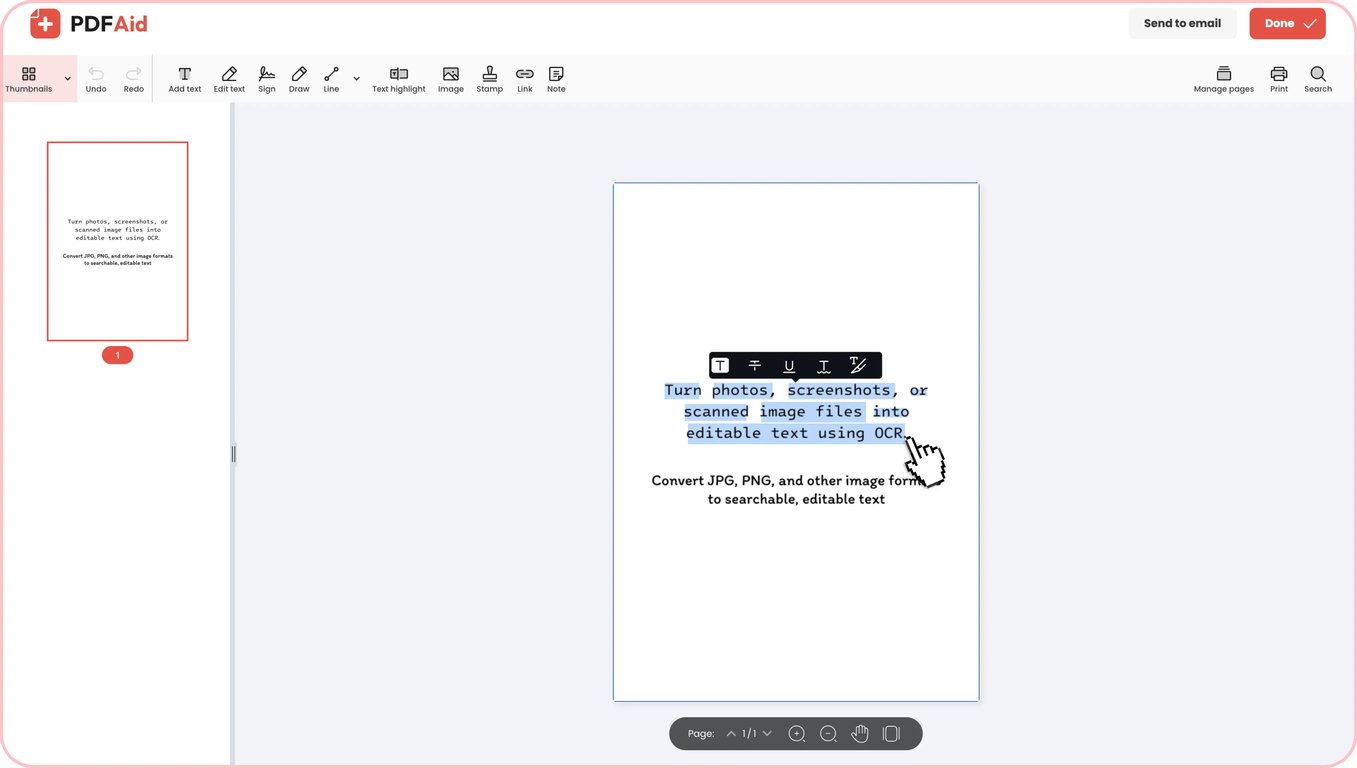
PDFAid ile resimlerdeki metni çıkarabilir ve bunları doğrudan tarayıcınızda düzenlenebilir belgelere dönüştürebilirsiniz. Fotoğrafları, taramaları ve ekran görüntülerini hiçbir şeyi elle yeniden yazmadan Word, PDF veya TXT dosyalarına dönüştürün. Aracımız, yükleme gerektirmeden tüm cihazlarda çalışır ve size temiz, kullanılabilir metin sunar.
Resimden metin nasıl çıkarılır
Resimleri saniyeler içinde düzenlenebilir belgelere dönüştürün. PDFAid ile resim dosyalarından hızlıca metin çıkarın. Böylece içeriğinizi baştan yazmak zorunda kalmadan düzenleyebilir, değiştirebilir ve kopyalayabilirsiniz.
1. Adım: Resminizi yükleyin
Dosyanızı doğrudan ekranınızdaki yükleme alanına sürükleyip bırakın. Cihaz depolamanızdan bir resme göz atmak ve seçmek için Resim yükle düğmesine de tıklayabilirsiniz. Resim metin çıkarıcımız JPG, PNG veya TIFF gibi yaygın biçimleri kabul eder ve dosyanızı dönüştürme için hazırlar.
2. Adım: Çıktı biçimini belirleyin
Resimden metin çıkarmadan önce dosya türünü belirleyin. 3 popüler biçim arasından seçim yapabilirsiniz:
Word (DOCX): Paragrafları yeniden yazmanız, metin biçimlendirmesini değiştirmeniz veya ekip arkadaşlarınızla birlikte çalışmanız gerekiyorsa en iyi seçenektir.
PDF: Tüm cihazlarda düzen tutarlılığını koruyan, temiz ve yazdırılabilir belgeler oluşturmak için idealdir.
TXT: Notlara, veritabanlarına veya kod düzenleyicilere yapıştırabileceğiniz düz, biçimlendirilmemiş metinler için mükemmeldir.
3. Adım: Belgenizi indirin
Resimden metin çıkarıcımız, bir biçim belirlediğinizde dosyanızı otomatik olarak işler. Optik karakter tanıma sistemi; sözcükleri, yazı tipi stillerini ve numaralı ya da madde işaretli listeler gibi yapısal düzenleri tanıyabilir. İşlem tamamlanır tamamlanmaz tamamlanan belgenizi doğrudan cihazınıza indirin.
Pratik kullanım alanları
Optik karakter tanıma, statik resimleri düzenlenebilir metne dönüştürmeniz gerektiğinde size zaman kazandırır. Resimleri düzenlenebilir metne dönüştürmenin günlük hayatınızı kolaylaştırabileceği bazı yaygın durumlar şunlardır:
Tarayıcı olarak yalnızca telefon kameranız olduğunda
Ofis tarayıcısı olmadan hareket hâlindeyken sık sık makbuzları, beyaz tahta notlarını veya kitap sayfalarını dijitalleştirmeniz gerekir. Telefonunuzla hızlıca fotoğraf çekip saniyeler içinde metne dönüştürebilirsiniz. Fotoğrafı metne dönüştürdüğünüzde, paylaşabileceğiniz, düzenleyebileceğiniz veya saklayabileceğiniz düzenlenebilir bir metin elde edersiniz.
Kâğıt sözleşmeler, mektuplar ve sertifikalar
Belirli bir maddeyi bulmak için fiziksel belgelerden oluşan yığınları elle okumak saatler sürebilir. Bir resmi metne dönüştürdüğünüzde eski sözleşmeler, mektuplar ve sertifikalar tamamen aranabilir hâle gelir. Dönüştürmeden sonra önemli paragrafları kolayca kopyalayabilir, güncel olmayan koşulları düzenleyebilir veya belirli maddeleri arayabilirsiniz.
Ekran görüntüsünde sıkışıp kalan metin
Web seminerleri, video sunumları ve sistem iletişim kutuları genellikle doğrudan kopyalayamayacağınız değerli bilgiler içerir. PDFAid ile bir ekran görüntüsünü metne dönüştürerek kopyalanamayan alıntıları, kod parçacıklarını ve veri tablolarını çıkarabilirsiniz. Her şeyi elle baştan yazmak yerine metni doğrudan notlarınıza yapıştırabilirsiniz.
Yeniden yazmak istemediğiniz kartvizitler ve makbuzlar
Aracımızı, konferans veya iş seyahati sonrasında kartvizit ve makbuz yığınlarını hızlıca gözden geçirmek için dijital kartvizit tarayıcısı olarak kullanabilirsiniz. Telefon numaraları, e-posta adresleri, toplamlar ve tarihler doğru şekilde çıkarılır; böylece kişileri takip ederken veya gider raporları hazırlarken hata yapma konusunda endişelenmeniz gerekmez. Makbuzdaki yazı tipleri küçükse düz bir arka planda, yansıma olmadan yakından fotoğrafını çekin.
Fotoğraf olarak gelen fiyat listeleri ve programlar
Tedarikçiler veya iş arkadaşlarınız programları ve fiyat listelerini resim olarak gönderdiğinde verileri almak için resimden metne dönüştürme araçlarını kullanın. Bir resmi metin tablosuna dönüştürürseniz sütun düzenleri düz metin satırlarına kayabilir; bu nedenle son rakamları ve aralıkları kontrol etmek için biraz zaman ayırın. Net tanıma için tüm sayfayı gösteren, düz ve iyi aydınlatılmış bir fotoğraf çekin; uzun fiyat kataloglarını birkaç ayrı resme bölün.
Ekran görüntüsü olarak paylaşılan hata mesajları ve kodlar
Terminal hatalarını, sunucu günlüklerini veya kod parçacıklarını ekran görüntülerinden yeniden yazarken uzun değişkenlerde ve yollarda yazım hataları sık görülür. Resim metin okuyucu, söz dizimini doğrudan ekran görüntüsünden çıkarır. Betiklerinizin çalıştığından emin olmak için sıfırlar, büyük O harfleri, 1'ler ve küçük l harfleri gibi okunması zor olabilecek karakterleri iki kez kontrol edin.
Desteklenen biçimler
Çevrimiçi aracımız, metin tanımayı hızlı ve kolay hâle getirmek için en yaygın resim biçimleriyle çalışır. JPEG dosyaları için tam destekle telefon fotoğraflarından, taranmış belgelerden ve web resimlerinden JPG'yi kolayca metne dönüştürebilirsiniz. Ekran görüntüleri, diyagramlar veya dijital grafiklerle çalışıyorsanız her harfi ve sayıyı temiz şekilde çıkarmak için PNG'den metne dönüştürme işlemi yapın. JPG, JPEG veya PNG dosyanızı yüklemeniz yeterlidir; sistem görsel verilerinizi kullanılabilir metne dönüştürür.
Her cihazda resimden metne dönüştürme
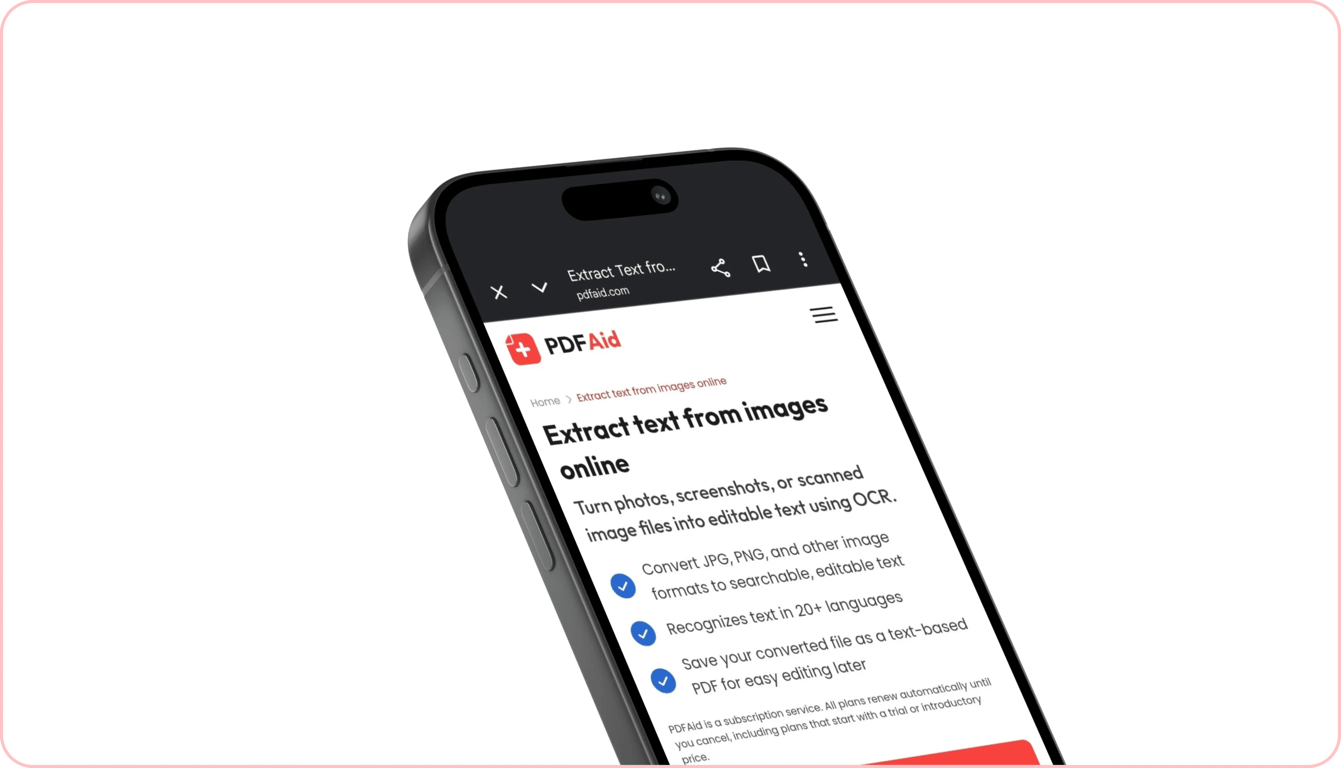
Ek uygulama veya yazılım yüklemeden herhangi bir bilgisayar, tablet ya da akıllı telefondaki resimlerden sözcük çıkarabilirsiniz. Aracımız web tarayıcınızda tamamen çevrimiçi çalışır; böylece metin dönüştürme hızlıdır ve her yerden erişilebilir.
Masanızdaysanız Windows dizüstü bilgisayarlarda yüksek çözünürlüklü bir taramayı işleyebilir veya Mac'inizi kullanarak metin çıkarabilirsiniz. Masanızdan uzaktayken Mobile Safari'de iPhone resim dosyalarındaki metni doğrudan hızlıca kopyalayabilirsiniz. Ayrıca Google Chrome üzerinden Android ekran görüntüsündeki metni saniyeler içinde kopyalayabilirsiniz.
Dosyalarınız gizli ve güvende kalır
Çalışma alanımızda resim OCR görevlerini çalıştırdığınızda her belge ve resim şifrelenmiş bağlantılar üzerinden işlenir. Bu, özel verilerinizi yetkisiz erişime karşı korur. Dosyalarınız veya çıkarılan metinleriniz yetkisiz kişiler tarafından görüntülenemez; bunlar korunur ve yalnızca kişisel hesabınızda size görünür. Yüklediğiniz içeriği izlemiyor, görüntülemiyor veya paylaşmıyoruz.
Benzer araçlar
Medya dosyalarınızı dönüştürmek ve yönetmek için diğer kullanışlı araçları keşfedin:
OCR PDF: Özgün sayfa düzeninizi korurken taranmış PDF sayfalarını ve düzleştirilmiş belgeleri aranabilir, düzenlenebilir metne dönüştürün.
Videodan Metne: Video kliplerdeki diyalogları, dersleri ve sunumları otomatik olarak doğru metin dökümlerine dönüştürün.
Sesten Metne: Ses kayıtlarını, röportajları, podcast'leri ve toplantı notlarını saniyeler içinde temiz metin belgelerine dönüştürün.
 Aboneliğinizi iptal etmek istediğinizi duyduğumuza üzüldük. Hizmetimize artık ihtiyacınız yoksa hesabınızın Üyelik sekmesinde Planı iptal et seçeneğine tıklayabilirsiniz. Aboneliğinizi iptal etme konusunda yardım almak için canlı sohbet üzerinden, billing@pdfaid.com adresinden veya +44 808 501 2541 numarasını arayarak bizimle iletişime geçebilirsiniz.